로그인 필요
계속하려면 iOSGods 계정으로 로그인하세요.
계속하려면 iOSGods 계정으로 로그인하세요.
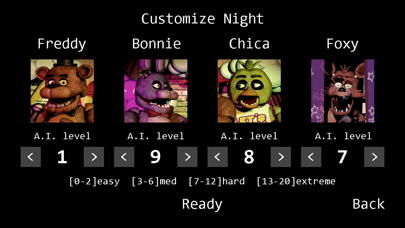
Five Nights at Freddy's의 리마스터된 iOS 버전을 경험해보세요. 무서운 밤 동안 Freddy Fazbear's Pizza를 지키는 서바이벌 공포 게임입니다. 보안 카메라를 모니터링하고 전력을 관리하여 예측 불가능한 애니매트로닉 로봇과의 만남에서 살아남으세요. 이 무료 게임 치트를 즐겨보세요.
이 앱에는 iGameGod도 포함되어 있어 반복 작업을 자동화하는 Auto Touch, 게임 속도를 조절할 수 있는 App Speed Manager, Memory Engine 값 편집 등 강력한 iOS 게임 도구를 사용할 수 있습니다.
위의 링크에서 Five Nights at Freddy's modded IPA을 다운로드합니다. 설치 버튼을 누르고 화면 안내에 따라 iPhone, iPad 또는 Apple Silicon에 이 iOS 앱 해킹을 설치합니다.
더 많은 도움이 필요하신가요? 자세한 답변과 문제 해결 팁은 iOSGods 앱 자주 묻는 질문을 확인하세요.
NOTE: Remastered version from the PC version. A device with at least 2 GB of RAM is required for this game to run properly.
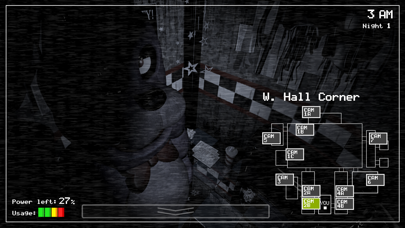
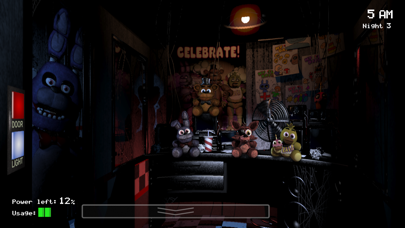
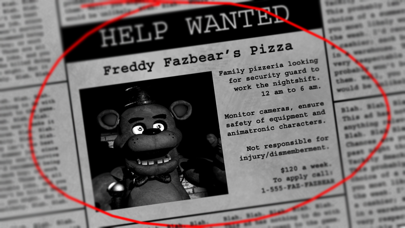
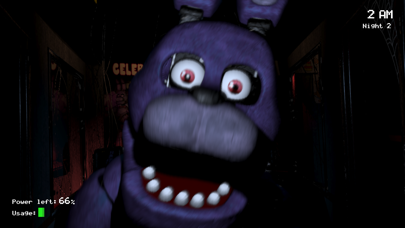
Welcome to your new summer job at Freddy Fazbear's Pizza, where kids and parents alike come for entertainment and food as far as the eye can see! The main attraction is Freddy Fazbear, of course; and his two friends. They are animatronic robots, programmed to please the crowds! The robots' behavior has become somewhat unpredictable at night however, and it was much cheaper to hire you as a security guard than to find a repairman.
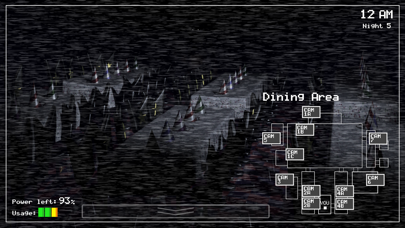
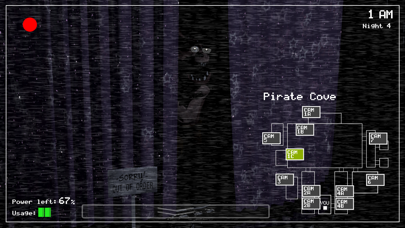
From your small office you must watch the security cameras carefully. You have a very limited amount of electricity that you're allowed to use per night (corporate budget cuts, you know). That means when you run out of power for the night- no more security doors and no more lights! If something isn't right- namely if Freddybear or his friends aren't in their proper places, you must find them on the monitors and protect yourself if needed!
Can you survive five nights at Freddy's?
NOTE: Interface and audio in English. Subtitles in English, French, German, Dutch, Spanish (Latin America), Italian, Portuguese (Brazil), Russian, Japanese, Chinese (Simplified), Korean.
#MadeWithFusion

- 탈옥/제일 또는 탈옥된 iPhone 또는 iPad가 필요합니다.
- Sideloadly 또는 대체 도구가 필요합니다.
- iTunes가 설치된 Windows/macOS/Linux 컴퓨터가 필요합니다.
1단계: 위 링크에서 미리 해킹된 .IPA 파일을 컴퓨터에 다운로드합니다. iOSGods App에서 다운로드하려면 동영상 예시가 포함된 iOSGods App IPA 다운로드 튜토리얼를 참고하십시오.
2단계: Sideloadly를 다운로드하여 Windows 또는 Mac에 설치합니다.
3단계: 컴퓨터에서 Sideloadly를 실행하고 iOS 기기를 연결한 후, Sideloadly에 기기 이름이 표시될 때까지 기다립니다.
4단계: iDevice가 인식되면, 다운로드한 모드된 .IPA 파일을 Sideloadly 애플리케이션에 끌어다 놓습니다.
5단계: Apple Account 이메일을 입력한 후 “Start”를 누릅니다. 그러면 비밀번호를 입력하라는 메시지가 표시됩니다. 요청된 정보를 제공해 주십시오.
6단계: Sideloadly가 해킹된 IPA의 사이드로드/설치를 완료할 때까지 기다리십시오. 설치 중 문제가 발생하면 아래 참고 사항을 읽어 주십시오.
7단계: 설치가 완료되어 홈 화면에서 앱이 보이면 설정 → 일반 → 프로파일 / VPN 및 기기 관리 경로로 이동해야 합니다. 그곳에서 6단계에서 입력한 이메일을 탭한 다음 “[email protected] 신뢰”를 탭하십시오.
8단계: 이제 홈 화면으로 돌아가 새로 설치된 앱을 열면 모든 것이 정상적으로 작동할 것입니다. 게임 내 해킹 팝업에서 앱별 추가 안내를 따라야 할 수도 있습니다.
참고: iOS/iPadOS 16 이상에서는 개발자 모드를 활성화해야 합니다. 무료 Apple Developer 계정의 경우 이 과정을 7일마다 반복해야 합니다. 질문이나 문제가 있는 경우 해당 토픽의 Sideloadly FAQ 섹션를 읽어보십시오.



![[The Battle Cats JP] にゃんこ大戦争 iOS Mod IPA](https://is1-ssl.mzstatic.com/image/thumb/Purple211/v4/9b/1b/74/9b1b74bb-1beb-288d-b3d9-54bf69a1aeae/AppIcon-0-0-1x_U007epad-0-1-85-220.png/100x100bb.jpg)

![[ SEA ] Honkai Impact 3 iOS Mod IPA](https://is1-ssl.mzstatic.com/image/thumb/Purple211/v4/f2/6b/8e/f26b8e2b-e408-c3bd-0f31-52abe0b7cbc1/AppIcon-1x_U007emarketing-0-10-0-85-220-0.png/100x100bb.jpg)
