Login Required
Sign in with your iOSGods account to continue.
Sign in with your iOSGods account to continue.

This truck simulator hack for Truckers of Europe 3 Mod IPA puts you behind the wheel of authentic European rigs with infinite resources and zero interruptions, so you can focus on building your trucking empire across the continent without grinding or watching ads.
Whether you're a simulation enthusiast who wants to skip the early-game hustle or a casual player looking to jump straight into high-end cargo runs, this modded version removes the financial and ad friction, letting you purchase premium trucks and trailers instantly and enjoy uninterrupted long-haul gameplay.
- Infinite Cash → unlimited funds for truck and trailer purchases
- Infinite Gold → premium currency without limits
- No Ads → uninterrupted gameplay
- Trailers Purchased → all trailers unlocked and ready to use
This app also comes with iGameGod, giving you access to Auto Touch to automate repetitive tasks, App Speed Manager for adjustable gameplay speed, Memory Engine value editing, and more powerful iOS game tools.
Download Truckers of Europe 3 iOS Mod IPA from the links above. Tap the install button and follow the on-screen instructions to install this iOS app hack on your iPhone, iPad, or Apple Silicon.
Need more help? Check out our iOSGods App Frequently Asked Questions for detailed answers and troubleshooting tips.
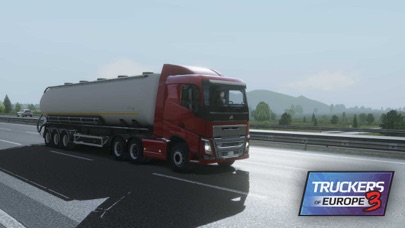
Become a real trucker with Truckers of Europe 3!
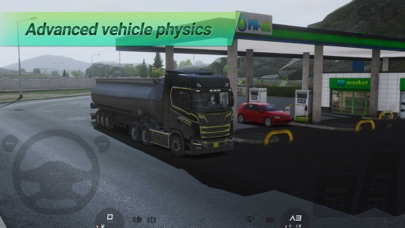
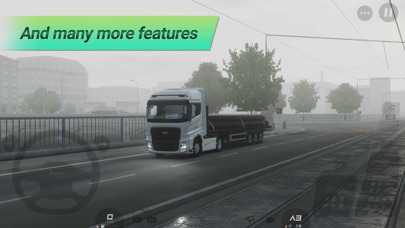
Featuring intensive driving experience with the most realistic truck physics.
Feel like driving real trucks with this truck simulator.
Travel across many cities from Europe!
Make money, purchase new trucks and trailers, select your job and deliver your cargo in an open world!
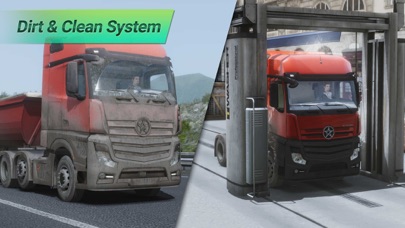
Truckers of Europe 3 features lots of european trucks with lots of chassis configurations, customizations and cosmetics.
Become the King of The Roads!
Have a good drive!
Features:
- Realistic truck physics
- 7 different trucks with all available chassis (4x2, 6x2, 6x2/2, 6x2 Midlift,6x2 Taglift, 6x4, 8x4)
- 25 trailers and many cargo options.
- Heavy loads
- Realistic engine sounds
- Relaistic interiors
- Smart AI traffic system
- Drive across country roads and highways
- Realistic weather conditions
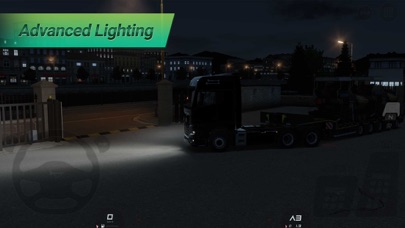
- Day & night cycle
- Damage and fuel consume
- Easy controls (tilt, buttons or touch steering wheel)
- Achievements and Leaderboards
- Excellent HD graphics and optimizations
- Non-Jailbroken/Jailed or Jailbroken iPhone or iPad.
- Sideloadly or alternatives.
- Computer running Windows/macOS/Linux with iTunes installed.
STEP 1: Download the pre-hacked .IPA file from the link above to your computer. To download from the iOSGods App, see our iOSGods App IPA Download Tutorial which includes a video example.
STEP 2: Download Sideloadly and install it on your Windows or Mac.
STEP 3: Open Sideloadly on your computer, connect your iOS device, and wait until your device name appears in Sideloadly.
STEP 4: Once your iDevice is recognized, drag the modded .IPA file you downloaded and drop it into the Sideloadly application.
STEP 5: Enter your Apple Account email, then press “Start.” You’ll then be asked to enter your password. Go ahead and provide the required information.
STEP 6: Wait for Sideloadly to finish sideloading/installing the hacked IPA. If there are issues during installation, please read the note below.
STEP 7: Once the installation is complete and you see the app on your Home Screen, you will need to go to Settings → General → Profiles / VPN & Device Management. Once there, tap on the email you entered from step 6, and then tap on “Trust [email protected]”.
STEP 8: Now go to your Home Screen and open the newly installed app and everything should work fine. You may need to follow further per app instructions inside the hack's popup in-game.
NOTE: iOS/iPadOS 16 and later, you must enable Developer Mode. For free Apple Developer accounts, you will need to repeat this process every 7 days. If you have any questions or problems, read our Sideloadly FAQ section of the topic.







![[The Battle Cats JP] にゃんこ大戦争 iOS Mod IPA](https://is1-ssl.mzstatic.com/image/thumb/Purple221/v4/d5/5d/5e/d55d5ecc-9bbd-3446-2092-56eef81db097/AppIcon-0-0-1x_U007epad-0-1-85-220.png/100x100bb.jpg)