Login Required
Sign in with your iOSGods account to continue.
Sign in with your iOSGods account to continue.
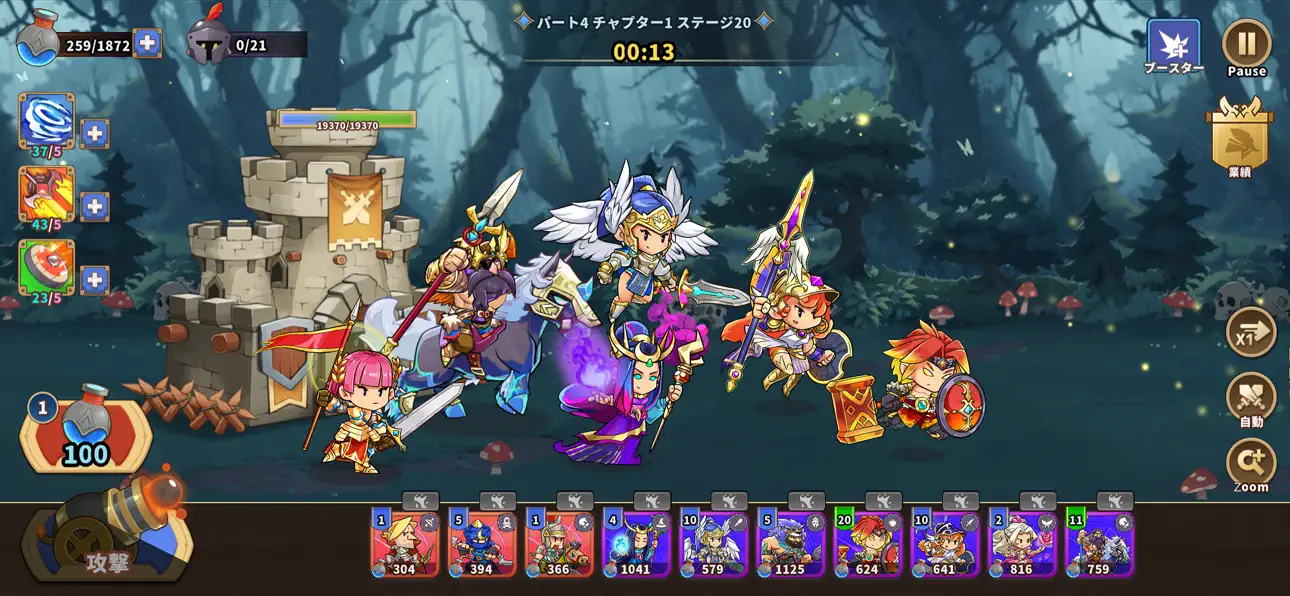
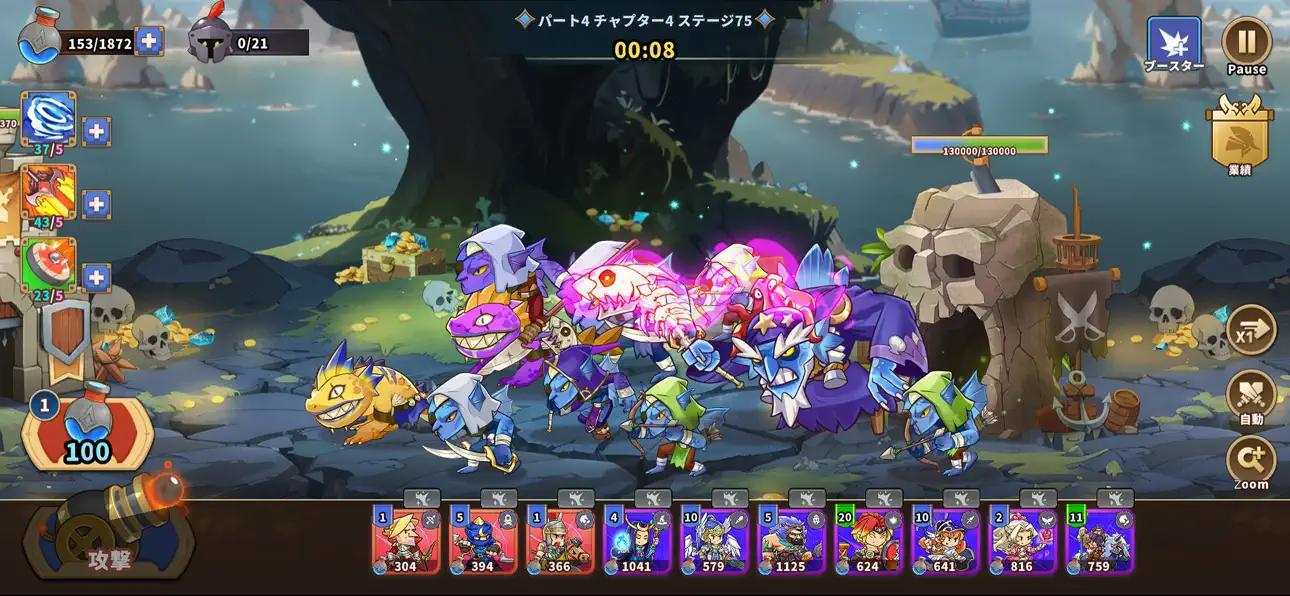
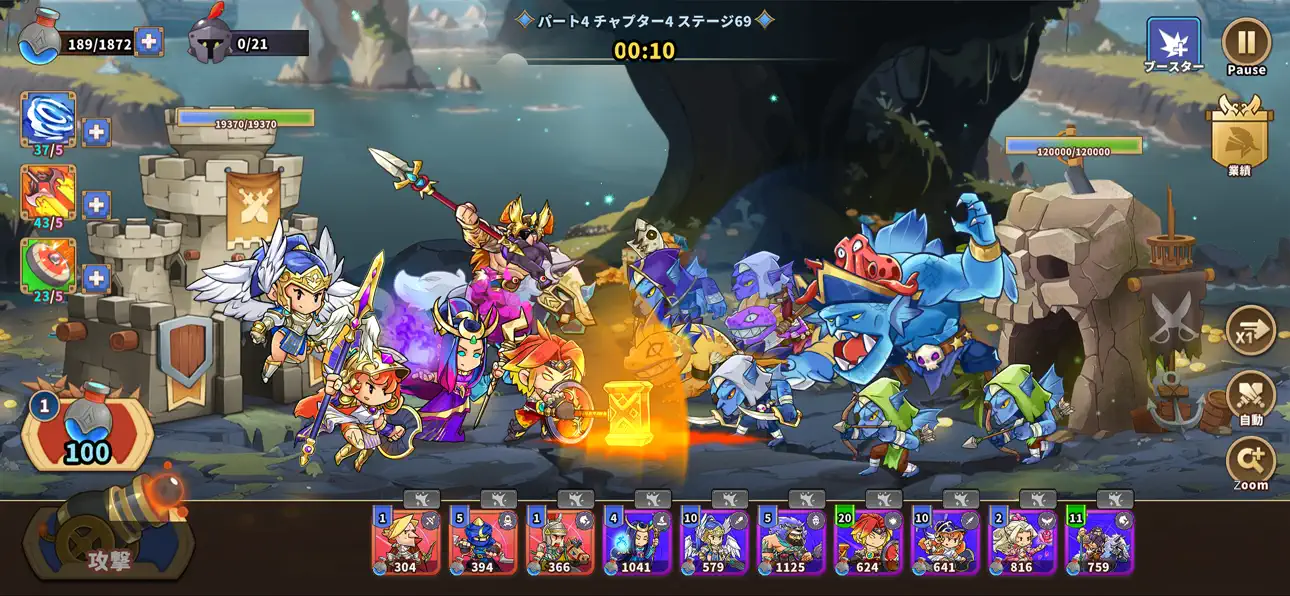
Unlimited unit deployment and zero-cost summoning unlock Castle War Defense's full strategic depth, letting you command massive armies without resource constraints in this tower defense mod IPA.
Build your perfect defense lineup by deploying heroes instantly and experimenting with synergies across every battle stage. Whether you're climbing ranked towers or competing in infinite mode, this hack removes the grind so you can focus on mastering tactics and discovering which hero combinations dominate each terrain.
- Currency → earn some after disable hack
- Units Unlocked → access all heroes from the start
- Unit Cost 0 → deploy heroes without spending resources
- Unit CD → reduce or eliminate cooldown between summons
- Unit Limit No Unlimited Deploy (Use Only When Enter The Battle) → field unlimited units simultaneously during combat
This app also comes with iGameGod, giving you access to Auto Touch to automate repetitive tasks, App Speed Manager for adjustable gameplay speed, Memory Engine value editing, and more powerful iOS game tools.
Download Castle War Defense 城の戦争防衛 iOS Mod IPA from the links above. Tap the install button and follow the on-screen instructions to install this iOS app hack on your iPhone, iPad, or Apple Silicon.
Need more help? Check out our iOSGods App Frequently Asked Questions for detailed answers and troubleshooting tips.
게임 소개
- 수많은 영웅을 소집해 당신만의 군대를 지휘하여 승리를 쟁취하세요 영웅을 생산하고 시너지 효과를 노려보세요!
게임 특징
- 사막, 용암지대 등 다양한 전장에서 스킬을 사용하며 당신만의 디펜스를 경험하세요
- 일반, 레어, 전설, 슈퍼전설 등 다양한 등급의 히어로를 성장시키세요
- 타워를 업그레이드 하여 보다 더 견고한 성을 만들고 더 높은 스테이지에 도전 하세요
- 속성 별로 내가 유리한 전투를 즐길 수 있습니다. 낮은 등급의 캐릭터도 열심히 키워보세요
- 무한모드를 통해 다른 플레이어 들과 랭킹 경쟁을 즐겨보세요!
주의사항
1. 해당 상품에는 부분 유료 아이템 및
게임 머니 결제기능이 포함되어 있습니다.
부분 유료 아이템 및 게임 머니를 결제할 시
실제 과금이 발생하오니 이점 유의하시기 바랍니다.
2. 게임에서 구매한 디지털 상품은 '전자상거래 등에서의 소비자 보호에 관한 법률'에 따라 청약철회가 가능하거나 제한될 수 있습니다.
3. 이메일 : [email protected]
4. 대표번호 : 1588-3027
YouTube :
https://www.youtube.com/user/mobirix1
Instagram :
https://www.instagram.com/mobirix_official/
TikTok :
https://www.tiktok.com/@mobirix_official
[구독 서비스]
1) 월 구독 (월간)
- 광고 제거 (1개월)
- 매일 100젬 획득 (1개월)
- \6,500 (KRW) 월 (가격은 지역에 따라 다를 수 있음)
2) 연간 구독 (연간)
- 광고 제거 (1년)
- 매일 100젬 획득 (1년)
- \30,000 (KRW) 연간 (가격은 지역에 따라 다를 수 있음)
- Terms of Use
: https://www.mobirix.com/policyn.html
- Privacy Policy
: http://www.mobirix.com/policykr.html
- Apple EULA
: https://www.apple.com/legal/internet-services/itunes/dev/stdeula
Screenshots © their respective owners · App Store
![[ Captain Tsubasa Japan ] キャプテン翼 ~たたかえドリームチーム~ Hack](https://is5-ssl.mzstatic.com/image/thumb/Purple123/v4/97/fc/11/97fc11b5-d720-77bb-1b55-c8e056e50da2/source/100x100bb.jpg)

![[ Phantasy Star Online Japan ] ファンタシースターオンライン2 es[本格アクションRPG] Hack](https://is5-ssl.mzstatic.com/image/thumb/Purple123/v4/55/0f/5d/550f5db6-8879-3440-0d1a-965cc4e7f08a/source/100x100bb.jpg)
iOSGods is not affiliated with, endorsed by, or sponsored by Apple Inc., Google LLC, or the developers of the apps listed here. Apple, iOS and App Store are trademarks of Apple Inc. Android and Google Play are trademarks of Google LLC. All other app names, icons, artwork and trademarks belong to their respective owners.

- Non-Jailbroken/Jailed or Jailbroken iPhone or iPad.
- Sideloadly or alternatives.
- Computer running Windows/macOS/Linux with iTunes installed.
STEP 1: Download the pre-hacked .IPA file from the link above to your computer. To download from the iOSGods App, see our iOSGods App IPA Download Tutorial which includes a video example.
STEP 2: Download Sideloadly and install it on your Windows or Mac.
STEP 3: Open Sideloadly on your computer, connect your iOS device, and wait until your device name appears in Sideloadly.
STEP 4: Once your iDevice is recognized, drag the modded .IPA file you downloaded and drop it into the Sideloadly application.
STEP 5: Enter your Apple Account email, then press “Start.” You’ll then be asked to enter your password. Go ahead and provide the required information.
STEP 6: Wait for Sideloadly to finish sideloading/installing the hacked IPA. If there are issues during installation, please read the note below.
STEP 7: Once the installation is complete and you see the app on your Home Screen, you will need to go to Settings → General → Profiles / VPN & Device Management. Once there, tap on the email you entered from step 6, and then tap on “Trust [email protected]”.
STEP 8: Now go to your Home Screen and open the newly installed app and everything should work fine. You may need to follow further per app instructions inside the hack's popup in-game.
NOTE: iOS/iPadOS 16 and later, you must enable Developer Mode. For free Apple Developer accounts, you will need to repeat this process every 7 days. If you have any questions or problems, read our Sideloadly FAQ section of the topic.
Game Name iOS Mod IPA is an action adventure game enhanced with powerful gameplay boosts and quality-of-life improvements. Win battles faster, earn rewards quicker, and enjoy uninterrupted play without ads.
- Unlimited Gold - spend freely to unlock premium content
- Damage Multiplier - deal significantly more damage in combat
- Defense Multiplier - take less damage and survive longer
- Reward Multiplier - earn more loot from every battle
- Max Level - instantly reach the highest player rank
- No Ads - play without interruptions or advertisements
This app also comes with iGameGod, giving you access to Auto Touch to automate repetitive tasks, App Speed Manager for adjustable gameplay speed, Memory Engine value editing, and more powerful iOS game tools.
Download Game Name Mod IPA from the links above. Tap the install button and follow the on-screen instructions to install this iOS app hack on your iPhone, iPad, or Apple Silicon.
Need more help Check out our iOSGods App Frequently Asked Questions for detailed answers and troubleshooting tips.
----------------------------------------------------------
--------------------------------------------------

![[ Smash Rising ] 僕のヒーローアカデミア SMASH RISING Hack](https://is5-ssl.mzstatic.com/image/thumb/Purple113/v4/d1/ba/91/d1ba919e-42f5-6dc0-696f-5b67cb7cddc5/source/100x100bb.jpg)


