Login Required
Sign in with your iOSGods account to continue.
Sign in with your iOSGods account to continue.

Unlimited in-app purchases and ad removal transform Stone Age Survival into a premium experience with this iOS Mod IPA hack. Turn on features from the menu to buy anything from the store and remove ads, letting you focus on mastering mining, crafting, and survival strategy without interruption.
- Buy Anything from the store (Turn On The Feature From the Menu) → unlock all purchasable items
- Ads Remove → enjoy uninterrupted gameplay
Jailed
- Airdrops (will increase when use) → gain extra resources
Note: Wait for tutorial to finish before buying anything.
Compatibility: Currently in-app purchases work only for Deb. For Jailed devices, this feature will be fixed later. Deb works for now only.
Download Stone Age Survival: Craft game Hack modded IPA from the links above. Tap the install button and follow the on-screen instructions to install this iOS app hack on your iPhone, iPad, or Apple Silicon.
Need more help? Check out our iOSGods App Frequently Asked Questions for detailed answers and troubleshooting tips.
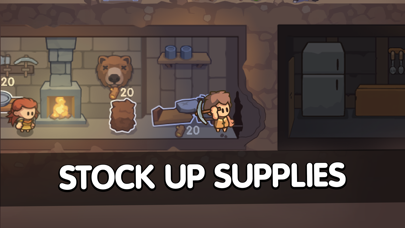
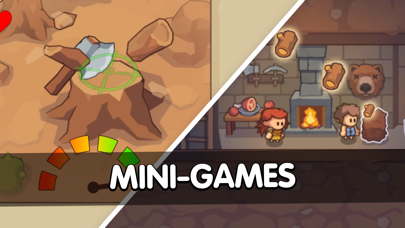
Introducing Stone Age Survival, an addictive clicker and strategy game that will immerse you in the challenges of survival and progress! Prepare yourself for a relentless journey where every decision counts.
In this stone age survival simulator, you must build your strategy to thrive. There's no time to rest as you embark on a quest to master essential skills like mining, crafting, food extraction, and building. Each action plays a crucial role in your survival.
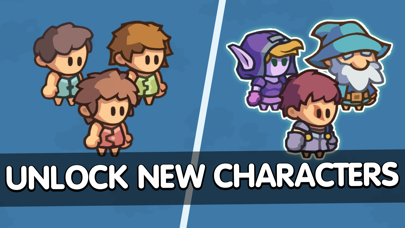
The game kicks off with a choice that sets your strategic path. Will you focus on crafting tools, mining for resources, building a shelter, or teaming up with fellow survivors? The choice is yours, and your decisions will shape the destiny of your tribe.
Key Features of this Survival Strategy Game:
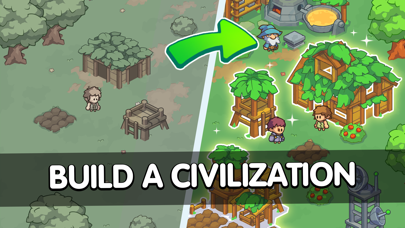
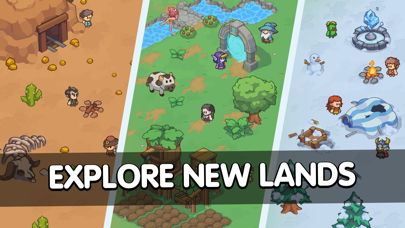
Build Your Survival Strategy: Formulate a plan to conquer the stone age challenges. Explore new territories, unlock hidden areas, gather resources, and construct vital structures for your tribe's survival.
Upgrade Mining, Crafting, and Building Skills: Adapt and evolve as the stone age progresses. This clicker game offers the opportunity to learn new tools, create more complex resources, and build advanced objects. Unleash your creativity and make strategic choices to ensure the tribe's progress.
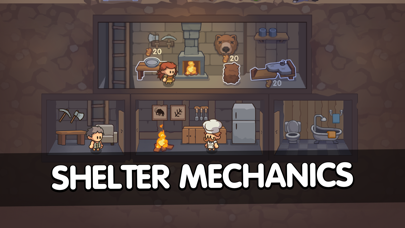
Expand Your Base: The stone age is full of surprises and dangers. Expand your base by venturing into unexplored areas, uncovering valuable resources, and fortifying your defenses. Strengthen your tribe's resilience and ensure their survival in this hostile world.
Exciting Clicker Gameplay: Engage in addictive clicker mechanics that keep you engaged and motivated. Tap, gather, and progress as you watch your tribe grow and flourish. Experience the satisfaction of seeing your efforts yield results.
Stone Age Survival is the ultimate test of your survival instincts and strategic thinking. Can you lead your tribe to thrive in a world filled with peril and uncertainty? Only the most resilient and resourceful will prevail. Embrace the stone age challenge and embark on an unforgettable journey of survival and progress.
Privacy Policy: https://geektales.games/privacy.html
Terms of service: https://geektales.games/tos.html
3+ IGRS
- Non-Jailbroken/Jailed or Jailbroken iPhone or iPad.
- Sideloadly or alternatives.
- Computer running Windows/macOS/Linux with iTunes installed.
STEP 1: Download the pre-hacked .IPA file from the link above to your computer. To download from the iOSGods App, see our iOSGods App IPA Download Tutorial which includes a video example.
STEP 2: Download Sideloadly and install it on your Windows or Mac.
STEP 3: Open Sideloadly on your computer, connect your iOS device, and wait until your device name appears in Sideloadly.
STEP 4: Once your iDevice is recognized, drag the modded .IPA file you downloaded and drop it into the Sideloadly application.
STEP 5: Enter your Apple Account email, then press “Start.” You’ll then be asked to enter your password. Go ahead and provide the required information.
STEP 6: Wait for Sideloadly to finish sideloading/installing the hacked IPA. If there are issues during installation, please read the note below.
STEP 7: Once the installation is complete and you see the app on your Home Screen, you will need to go to Settings → General → Profiles / VPN & Device Management. Once there, tap on the email you entered from step 6, and then tap on “Trust [email protected]”.
STEP 8: Now go to your Home Screen and open the newly installed app and everything should work fine. You may need to follow further per app instructions inside the hack's popup in-game.
NOTE: iOS/iPadOS 16 and later, you must enable Developer Mode. For free Apple Developer accounts, you will need to repeat this process every 7 days. If you have any questions or problems, read our Sideloadly FAQ section of the topic.