Anmeldung erforderlich
Melden Sie sich mit Ihrem iOSGods-Konto an, um fortzufahren.
Melden Sie sich mit Ihrem iOSGods-Konto an, um fortzufahren.

Hack Features:
- Infinite Moves
- Semi Infinite Boosters // This only work with inside match game boosters only, you can use it infinitely but there is a downside that a error popup will appear everytime you use, just click ok and ignore it. This doesn't work with 3 boosters before you enter the game
Tips: Turn on airplane mode when you in-game and play so you don’t have network error popup when using boosters. Turn the wifi back on and wait for 10s when you want to quit game so it can sync your offline progress to the server
Diese App wird zusätzlich mit iGameGod geliefert und bietet Ihnen Zugriff auf Auto Touch zur Automatisierung sich wiederholender Aufgaben, App Speed Manager für eine anpassbare Spielgeschwindigkeit, Memory Engine zur Wertbearbeitung und weitere leistungsstarke iOS-Spielwerkzeuge.
Laden Sie Pokémon Café ReMix Hack modded IPA über die obigen Links herunter. Tippen Sie auf den Installations-Button und folgen Sie den Anweisungen, um diese iOS-App auf Ihrem iPhone, iPad oder Apple Silicon zu installieren.
Brauchen Sie mehr Hilfe? In unseren iOSGods App häufig gestellten Fragen finden Sie ausführliche Antworten und Tipps zur Fehlerbehebung.
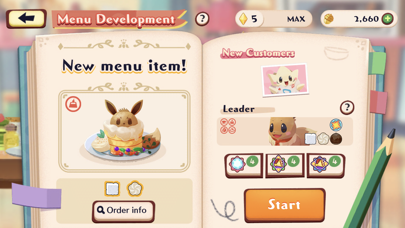
Welcome to your very own Pokémon café!
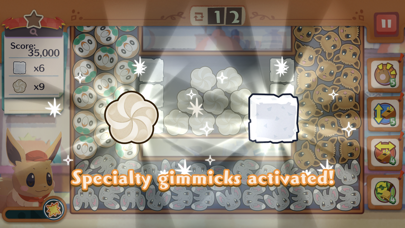
Pokémon Café ReMix is a refreshing puzzle game you play alongside Pokémon in which you mix, link, and blast away icons and gimmicks!
The customers and café staff are all Pokémon! As the owner of the café, you will work with Pokémon to serve customers by preparing drinks and dishes through simple puzzles in which you mix around icons.
■ Refreshing puzzles!
Complete fun cooking puzzle in which you mix around icons and link them together!
As the owner of the café, you’ll take on puzzles with the help of your staff Pokémon.
Utilize each Pokémon’s specialty and uniqueness and aim for three-star offerings!
■ A wide cast of Pokémon appears! You can even enjoy switching their outfits!
Pokémon you befriend will join your staff and help you out at the café.
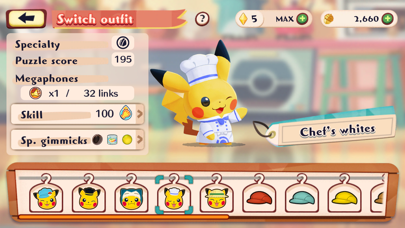
Liven up your café by dressing up your staff Pokémon!
As you raise your staff Pokémon’s levels, they’ll be able to wear different colored outfits. Special outfits for certain Pokémon will regularly be released as well!
Recruit all sorts of Pokémon, raise their levels, and create your very own café!
Now's your chance to become a café owner, work together with Pokémon, and create a Pokémon café that's unique to you!
- Nicht-Jailbroken/Jailed oder Jailbroken iPhone oder iPad.
- Sideloadly oder Alternativen.
- Computer mit Windows/macOS/Linux und installiertem iTunes.
SCHRITT 1: Laden Sie die vorinstallierte .IPA-Datei über den obigen Link auf Ihren Computer herunter. Zum Herunterladen aus der iOSGods-App siehe unser iOSGods App IPA Download-Tutorial mit Videobeispiel.
SCHRITT 2: Laden Sie Sideloadly herunter und installieren Sie es auf Ihrem Windows oder Mac.
SCHRITT 3: Öffnen Sie Sideloadly auf Ihrem Computer, verbinden Sie Ihr iOS-Gerät und warten Sie, bis Ihr Gerätename in Sideloadly erscheint.
SCHRITT 4: Sobald Ihr iDevice erkannt wird, ziehen Sie die heruntergeladene gemoddete .IPA-Datei in die Sideloadly-Anwendung.
SCHRITT 5: Geben Sie Ihre Apple-Account-E-Mail ein und drücken Sie „Start". Sie werden dann nach Ihrem Passwort gefragt. Geben Sie die erforderlichen Informationen ein.
SCHRITT 6: Warten Sie, bis Sideloadly das Sideloading/Installieren der gehackten IPA abgeschlossen hat. Bei Problemen während der Installation lesen Sie bitte den Hinweis unten.
SCHRITT 7: Sobald die Installation abgeschlossen ist und die App auf Ihrem Home-Bildschirm angezeigt wird, müssen Sie zu Einstellungen → Allgemein → Profile / VPN & Geräteverwaltung gehen. Tippen Sie dort auf die E-Mail, die Sie in Schritt 6 eingegeben haben, und dann auf „Trust [email protected]".
SCHRITT 8: Gehen Sie nun zu Ihrem Home-Bildschirm und öffnen Sie die neu installierte App – alles sollte einwandfrei funktionieren. Möglicherweise müssen Sie weitere App-spezifische Anweisungen im Hack-Popup im Spiel befolgen.
HINWEIS: iOS/iPadOS 16 und höher: Sie müssen den Entwicklermodus aktivieren. Bei kostenlosen Apple Developer-Accounts müssen Sie diesen Vorgang alle 7 Tage wiederholen. Bei Fragen oder Problemen lesen Sie bitte unsere Sideloadly-FAQ-Sektion im Thema.