Inicio de sesión requerido
Inicia sesión con tu cuenta de iOSGods para continuar.
Inicia sesión con tu cuenta de iOSGods para continuar.

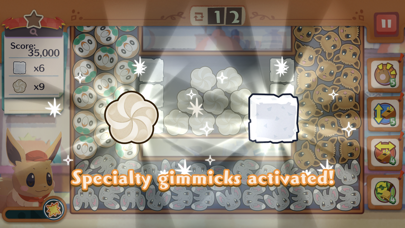
Este hack de juego de puzles para Pokémon Café ReMix te proporciona movimientos ilimitados y potenciadores semi-infinitos dentro de las partidas para superar fácilmente los desafíos de cocina. Combina y empareja iconos junto con tu equipo de Pokémon sin preocuparte por agotar recursos, aunque usar potenciadores puede generar ventanas emergentes de error inofensivas que puedes descartar sin problemas. Para una experiencia más fluida, activa el modo avión mientras juegas para evitar interrupciones de red al activar potenciadores, luego reconecta y espera 10 segundos antes de salir para que tu progreso sin conexión se sincronice con el servidor.
- Movimientos Infinitos → acciones ilimitadas por puzle
- Potenciadores Semi Infinitos (solo dentro de partidas) → úsalos repetidamente con ventanas emergentes de error ocasionales que se pueden descartar; no funciona con selecciones de 3 potenciadores previas a la partida
Consejos: Activa el modo avión cuando estés en el juego y jugando para que no tengas ventana emergente de error de red al usar potenciadores. Vuelve a activar el wifi y espera 10 segundos cuando quieras salir del juego para que pueda sincronizar tu progreso sin conexión con el servidor.
Esta app también incluye iGameGod, que te ofrece acceso a Auto Touch para automatizar tareas repetitivas, App Speed Manager para ajustar la velocidad del juego, edición de valores con Memory Engine y más potentes herramientas para juegos de iOS.
Descarga Pokémon Café ReMix Hack modded IPA desde los enlaces de arriba. Toca el botón de instalación y sigue las instrucciones para instalar este hack iOS en tu iPhone, iPad o Mac con Apple Silicon.
¿Necesitas más ayuda? Consulta nuestras Preguntas frecuentes de la app iOSGods para respuestas detalladas y consejos de solución de problemas.
¡Disfruta de tu propia cafetería Pokémon!
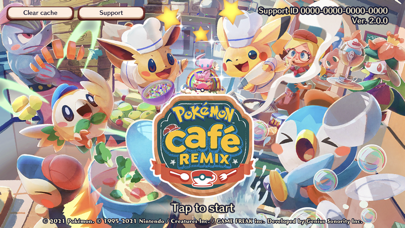
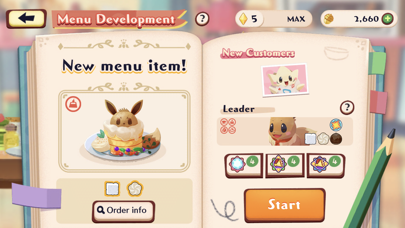
Pokémon Café ReMix es un novedoso juego de puzles que puedes disfrutar en compañía de los Pokémon y en el que debes mezclar, encadenar y hacer estallar fichas y componentes.
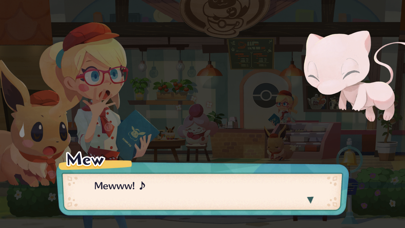
¡Tanto los clientes como los empleados de la cafetería son Pokémon! Tu deber será gestionar la cafetería y trabajar codo a codo con Pokémon para servir a tus clientes. Prepara recetas mediante sencillos puzles que consisten en mezclar fichas.
■ ¡Puzles innovadores!
Mezcla y encadena las fichas para completar estos divertidos puzles culinarios.
Tú estás al cargo, así que podrás valerte de la ayuda de tus empleados Pokémon para resolver los puzles.
¡Aprovecha la especialidad y los talentos únicos de cada Pokémon para intentar preparar recetas de tres estrellas!
■ ¡Aparecerán montones de Pokémon e incluso podrás cambiar sus atuendos!
Si aumentas tu afinidad con un Pokémon, se unirá a la plantilla y podrá echarte una mano en la cafetería.
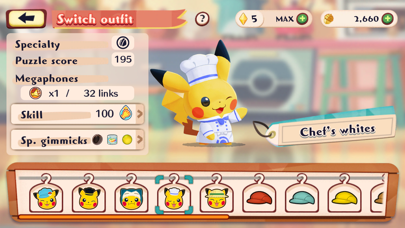
¡Cambia el atuendo de tus Pokémon para animar el cotarro!
Aumenta el nivel de tus empleados Pokémon para que puedan ponerse atuendos de distintos colores. ¡De vez en cuando también se sacarán atuendos especiales!
¡Contrata a toda suerte de Pokémon, haz que suban de nivel y crea tu propia cafetería Pokémon!
¡Es tu oportunidad de llevar las riendas de una cafetería, trabajar junto a los Pokémon y crear una cafetería Pokémon a tu manera!
- iPhone o iPad con o sin Jailbreak.
- Sideloadly u otras alternativas.
- Ordenador con Windows/macOS/Linux e iTunes instalado.
PASO 1: Descargue el archivo .IPA pre-modificado desde el enlace de arriba a su ordenador. Para descargarlo desde la iOSGods App, consulte nuestro Tutorial de descarga del IPA desde la iOSGods App, que incluye un ejemplo en vídeo.
PASO 2: Descargue Sideloadly e instálelo en su Windows o Mac.
PASO 3: Abra Sideloadly en su ordenador, conecte su dispositivo iOS y espere hasta que el nombre del dispositivo aparezca en Sideloadly.
PASO 4: Una vez que su iDevice sea reconocido, arrastre el archivo .IPA modificado que descargó y suéltelo en la aplicación Sideloadly.
PASO 5: Introduzca el correo electrónico de su Apple Account y, a continuación, pulse «Start». Le pedirá que introduzca su contraseña. Proporcione la información solicitada.
PASO 6: Espere a que Sideloadly termine de hacer sideload/instalar el IPA modificado. Si surgen problemas durante la instalación, por favor lea la nota a continuación.
PASO 7: Una vez completada la instalación y al ver la app en la pantalla de inicio, deberá ir a Ajustes → General → Perfiles / VPN y Gestión de Dispositivos. Una vez allí, toque el correo electrónico que introdujo en el paso 6 y, después, toque en «Confiar en [email protected]».
PASO 8: Ahora vaya a la pantalla de inicio y abra la app recién instalada; todo debería funcionar correctamente. Es posible que tenga que seguir instrucciones adicionales específicas de cada app dentro del popup del hack en el juego.
NOTA: En iOS/iPadOS 16 y posteriores, debe activar el Modo Desarrollador. Para cuentas gratuitas de Apple Developer, deberá repetir este proceso cada 7 días. Si tiene alguna pregunta o problema, lea nuestra sección de Preguntas Frecuentes de Sideloadly del tema.



![[ GrandChase KR ] 그랜드체이스 iOS Mod IPA](https://is1-ssl.mzstatic.com/image/thumb/Purple221/v4/0e/63/0f/0e630f56-aa89-a06e-421f-54656099652b/AppIcon-1x_U007emarketing-0-8-0-85-220-0.png/100x100bb.jpg)


