Login Required
Sign in with your iOSGods account to continue.
Mod Features
- Unlimited Currencies
- All DLCs Purchased
Download Tower And Swords Mod APK from the button above. Once you tap on download, simply follow the on-screen instructions to install the modded APK on your Android device or emulator.
Need help? Check out our Android Frequently Asked Questions for detailed answers and troubleshooting tips.
A gacha-free hack and slash RPG.
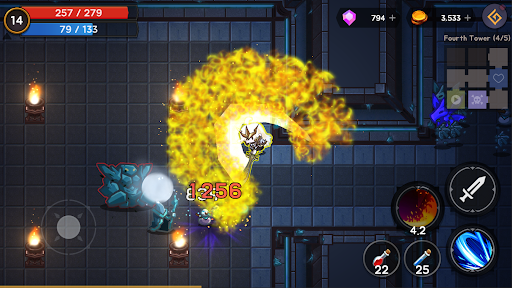
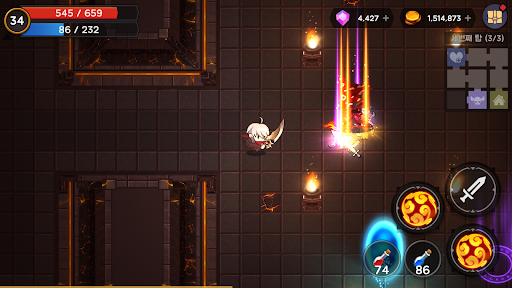
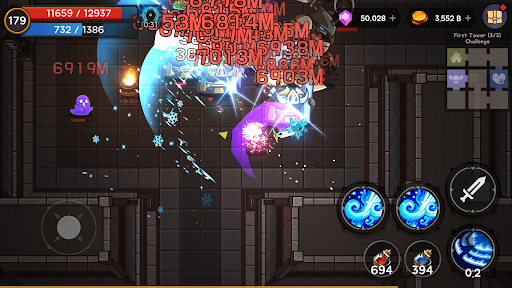
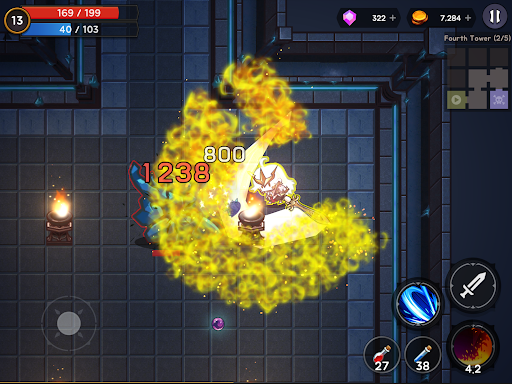
13 towers, hundreds of gear pieces, and ever-growing difficulty — a hands-on action RPG you control directly. Fully playable offline, anywhere, even on a plane.
▶ Conquer the Towers
Mysterious towers filled with monsters have appeared across the world. As a swordsman, climb each tower floor by floor — battle monsters, defeat powerful gatekeepers, and face the tower bosses that rule each one.
Along the way, discover Secret Rooms with hidden bonus rewards and Slime Dungeons packed with slimes that grant massive experience.
▶ Endless Challenge
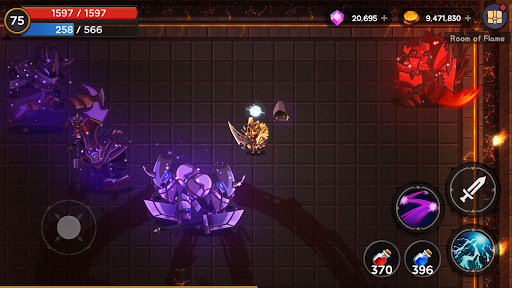
Clearing all 13 towers is just the beginning. New difficulty tiers unlock — each bringing the same dungeons with far stronger monsters, new special dungeons, and upgraded rewards. Push through ever-rising challenges and face fearsome bosses: the Death God, the Demon Lord, the Demon Dragon, and more threats yet to come.
▶ Deep Equipment System
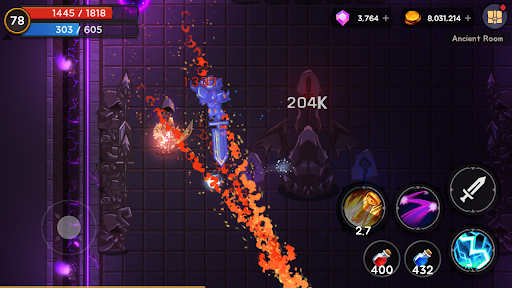
Equip up to 3 weapons at once, each carrying its own unique magic — unleash up to 3 powerful spells in combat. Find gear from Common to Legendary, with Unique and Legendary items holding distinctive skills.
Rare gear and above rolls bonus stats from a wide pool: ATK, DEF, HP, attack speed, magic damage, elemental damage, magic level, movement speed, damage reduction, gold gain, EXP gain, and more. On top of that, gear can roll rare Traits — special abilities like freeze immunity, damage reduction, or magic level boost.
Use Enhancement Stones to power up your equipment, and special gems to add or change options. Craft the perfect build for your playstyle.
▶ Fair Drop System — No Gacha
High-grade gear drop rates are cumulative. If you clear a floor without getting a drop, the rate increases for next time — keep fighting and you are guaranteed to get it. Check exact rates anytime in the Tower Info at the portal. No gacha. No loot boxes. Your effort always pays off.
▶ Pets, Costumes, and Artifacts
Collect costumes and pets to power up your swordsman. Costumes grant bonus stats just by owning them — earn them through gameplay, events, or the shop. Pets provide unique bonuses and can be obtained through the shop or special events.
Unlock Artifacts as you progress through higher difficulties and strengthen them to push even further.
▶ Level Up Your Way
Earn points as your swordsman levels up and invest them in passive spells. Combine your weapon loadout, stat options, traits, artifacts, costumes, and pets to create a build that is uniquely yours.
▶ Play Anywhere
✓ Fully offline — no internet required, play anytime, anywhere
✓ Cloud save supported — sync your progress across devices
✓ No gacha, no loot boxes — fair progression
✓ Hands-on hack & slash combat — not an idle game
✓ Regularly updated with new content, difficulties, and bosses
Discord: https://discord.gg/4gTAZS9nTK
Contact: [email protected]
- Non-Jailbroken/Jailed or Jailbroken iPhone or iPad.
- Sideloadly or alternatives.
- Computer running Windows/macOS/Linux with iTunes installed.
STEP 1: Download the pre-hacked .IPA file from the link above to your computer. To download from the iOSGods App, see our iOSGods App IPA Download Tutorial which includes a video example.
STEP 2: Download Sideloadly and install it on your Windows or Mac.
STEP 3: Open Sideloadly on your computer, connect your iOS device, and wait until your device name appears in Sideloadly.
STEP 4: Once your iDevice is recognized, drag the modded .IPA file you downloaded and drop it into the Sideloadly application.
STEP 5: Enter your Apple Account email, then press “Start.” You’ll then be asked to enter your password. Go ahead and provide the required information.
STEP 6: Wait for Sideloadly to finish sideloading/installing the hacked IPA. If there are issues during installation, please read the note below.
STEP 7: Once the installation is complete and you see the app on your Home Screen, you will need to go to Settings -> General -> Profiles / VPN & Device Management. Once there, tap on the email you entered from step 6, and then tap on 'Trust [email protected]'.
STEP 8: Now go to your Home Screen and open the newly installed app and everything should work fine. You may need to follow further per app instructions inside the hack's popup in-game.
NOTE: iOS/iPadOS 16 and later, you must enable Developer Mode . For free Apple Developer accounts, you will need to repeat this process every 7 days. If you have any questions or problems, read our Sideloadly FAQ section of the topic.