ログインが必要
iOSGodsアカウントでサインインして続けてください。
iOSGodsアカウントでサインインして続けてください。
- Damage Multiplier
- Defense Multiplier
- Attack Speed Multiplier
- Move Speed Multiplier
このアプリにはiGameGodも搭載されており、繰り返し作業を自動化するAuto Touch、ゲーム速度を調整できるApp Speed Manager、Memory Engineによる値の編集など、強力なiOSゲーム用ツールをご利用いただけます。
(DRAGON QUEST Smash/Grow)ドラゴンクエストスマッシュグロウ ドラクエローグライトRPG iOS Mod IPAを上のリンクからダウンロードします。インストールボタンをタップし、画面の指示に従ってiPhone、iPad、Apple SiliconにこのiOSアプリハックをインストールします。
さらにヘルプが必要ですか? 詳しい回答とトラブルシューティングはiOSGodsアプリ よくある質問をご覧ください。
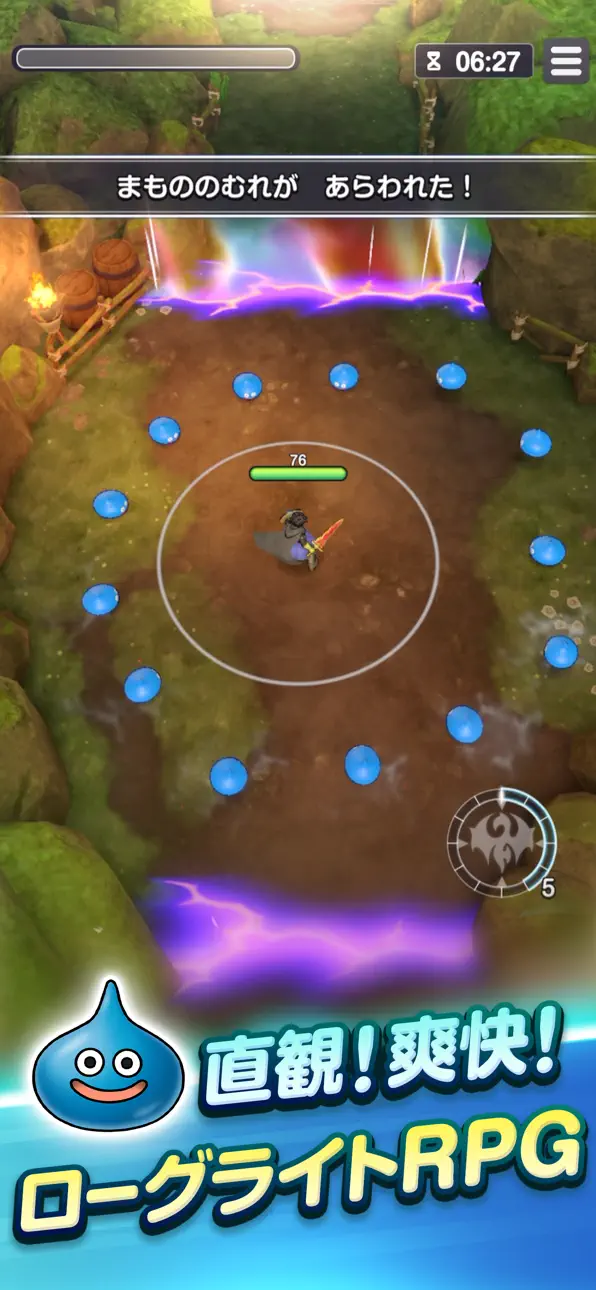
ドラゴンクエスト×直感&爽快フィールドバトル!
ローグライトRPGで始まる新たなる冒険の旅へ
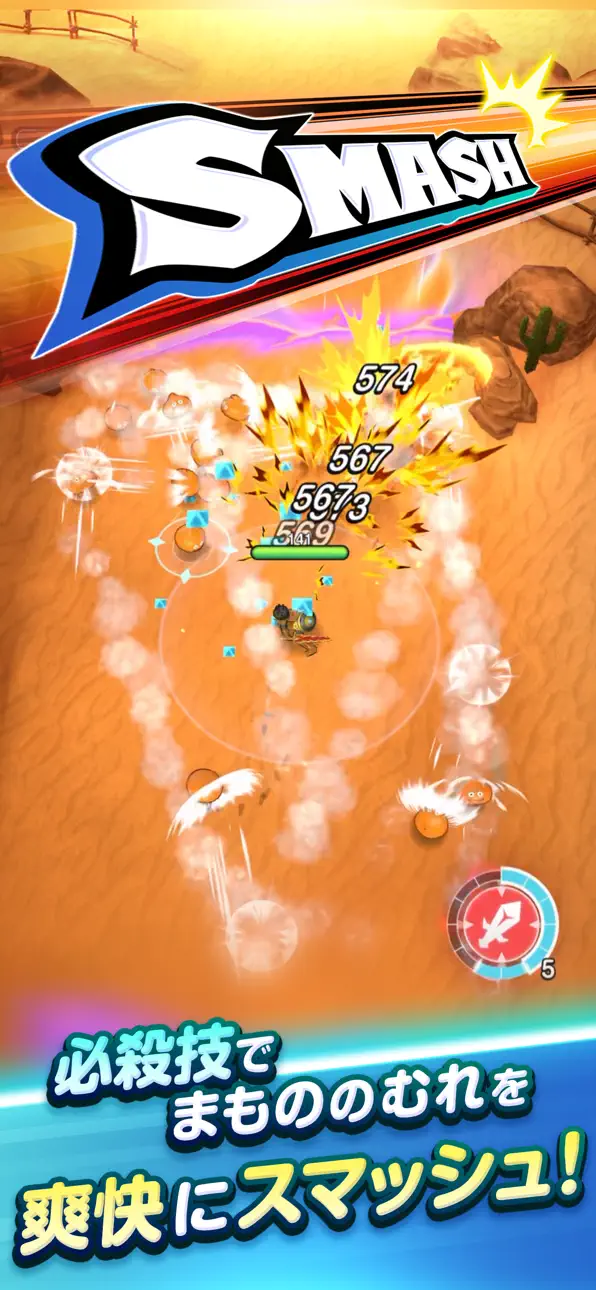
直感操作でモンスターの群れを斬ってかわして、必殺技で一気に吹き飛ばせ!
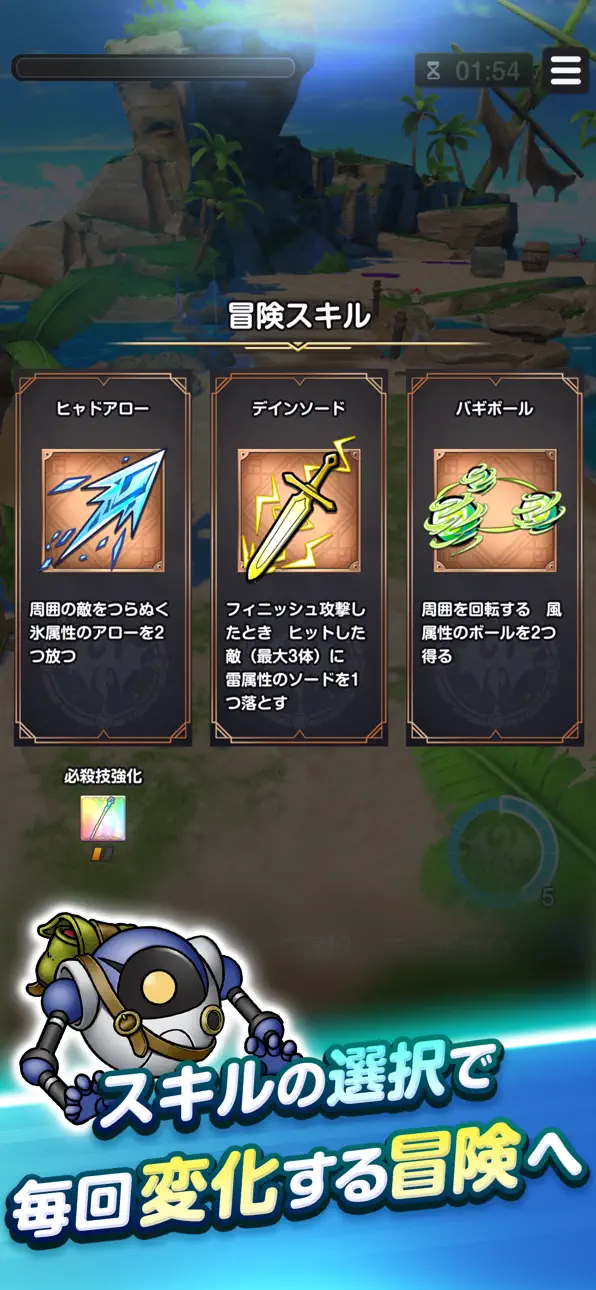
ランダムに出現する「冒険スキル」の選択で、毎回違った成長と戦略が楽しめる。
「ドラゴンクエスト」ならではの旅立ちのワクワクを、何度でも体験しよう。
【ゲームの特長】
■冒険スキル
「冒険スキル」の選択で、プレイのたびに変わる冒険へ!
獲得スキルは毎ステージリセットされ、挑戦するたびランダムに出現。
運と選択で、戦い抜こう!
■職業システム
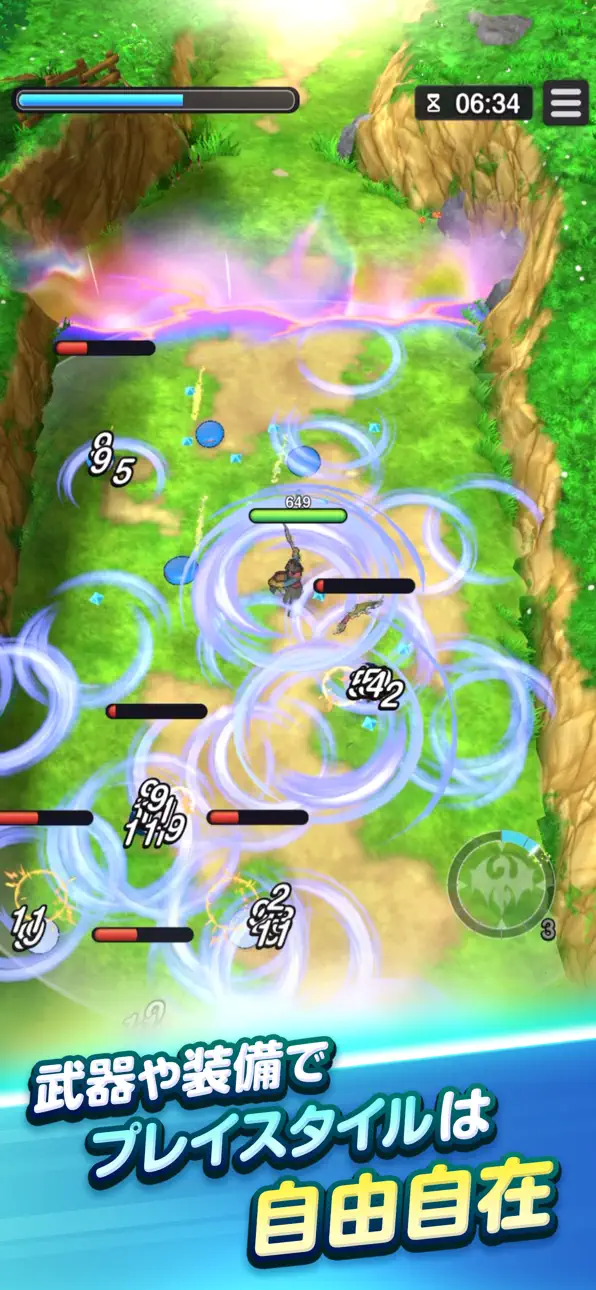
個性豊かな「職業」の中から、自分だけのパーティを結成!
レベルアップに加えて、「職業パネル」の開放を進めることで、
各職業の能力をさらに強化可能!
■メインストーリー
世界の再生を目指して大冒険!
謎のマシン「マル」と共に、各地に出現した「ほころび」と呼ばれるダンジョンを巡ろう!
■マルチクエスト
最大4人でわいわい協力プレイ!
育てたキャラクターを持ち寄って、助け合いながらまものの軍勢を撃破しよう!
■やりこみコンテンツ
最強パーティで更なる試練に挑め!
スコアアタックのルールで敵を倒しまくる「まものラッシュ」や、
強力なボスが待ち受ける高難易度ステージ「ほこらクエスト」など、楽しい遊びが満載!
【動作環境】
iOS:15.0以降、iPhone XS 以降、システムメモリ4GB以上の端末
スクリーンショット © 各権利者 · App Store


iOSGods は Apple Inc.、Google LLC、および掲載アプリの開発者と提携しておらず、承認や協賛も受けていません。Apple、iOS、App Store は Apple Inc. の商標です。Android および Google Play は Google LLC の商標です。その他のアプリ名、アイコン、画像、商標はすべて各権利者に帰属します。

- 脱獄/Jailed済みまたは脱獄済みのiPhoneまたはiPad。
- Sideloadlyまたは代替手段。
- iTunesがインストールされているWindows/macOS/Linuxを実行しているコンピュータ。
ステップ1: 上のリンクから事前にハックされた.IPAファイルをコンピュータにダウンロードします。iOSGodsアプリからダウンロードする方法は、ビデオ例付きのiOSGodsアプリIPAダウンロードチュートリアルをご覧ください。
ステップ2: SideloadlyをダウンロードしてWindowsまたはMacにインストールします。
ステップ3: コンピュータでSideloadlyを開き、iOSデバイスを接続して、デバイス名がSideloadlyに表示されるまで待ちます。
ステップ4: iDeviceが認識されたら、ダウンロードしたModされた.IPAファイルをSideloadlyアプリにドラッグ&ドロップします。
ステップ5: Apple Accountのメールアドレスを入力し、「Start」を押します。次にパスワードの入力を求められます。必要な情報を入力してください。
ステップ6: Sideloadlyがハックされたipaのサイドロード/インストールを完了するのを待ちます。インストール中に問題が発生した場合は、以下の注意事項をお読みください。
ステップ7: インストールが完了し、ホーム画面にアプリが表示されたら、設定 → 一般 → プロファイル / VPNとデバイス管理に移動する必要があります。そこで、ステップ6で入力したメールをタップし、「Trust [email protected]」をタップします。
ステップ8: ホーム画面に戻り、新しくインストールされたアプリを開けば、すべて正常に動作するはずです。ゲーム内のハックのポップアップで、アプリごとの追加指示に従う必要がある場合があります。
注意: iOS/iPadOS 16以降では、デベロッパモードを有効にするが必要です。無料のApple Developerアカウントの場合、このプロセスを7日ごとに繰り返す必要があります。質問や問題がある場合は、トピックのSideloadly FAQセクションをお読みください。
Game Name iOS Mod IPA is an action adventure game enhanced with powerful gameplay boosts and quality-of-life improvements. Win battles faster, earn rewards quicker, and enjoy uninterrupted play without ads.
- Unlimited Gold - spend freely to unlock premium content
- Damage Multiplier - deal significantly more damage in combat
- Defense Multiplier - take less damage and survive longer
- Reward Multiplier - earn more loot from every battle
- Max Level - instantly reach the highest player rank
- No Ads - play without interruptions or advertisements
This app also comes with iGameGod, giving you access to Auto Touch to automate repetitive tasks, App Speed Manager for adjustable gameplay speed, Memory Engine value editing, and more powerful iOS game tools.
Game Name Mod IPAを上のリンクからダウンロードします。インストールボタンをタップし、画面の指示に従ってiPhone、iPad、Apple SiliconにこのiOSアプリハックをインストールします。
さらにヘルプが必要ですか 詳しい回答とトラブルシューティングはiOSGodsアプリ よくある質問をご覧ください。
----------------------------------------------------------
--------------------------------------------------



![PHANTASY STAR ONLINE ファンタシースターオンライン2 es[本格アクションRPG] Hack](https://is2-ssl.mzstatic.com/image/thumb/Purple126/v4/7f/d8/d9/7fd8d96e-7b00-e66f-0531-7f246169198c/AppIcon-0-0-1x_U007emarketing-0-0-0-7-0-0-sRGB-0-0-0-GLES2_U002c0-512MB-85-220-0-0.png/100x100bb.jpg)

![[SwordArtOnline Japan] ソードアート・オンライン インテグラル・ファクター Hack](https://is2-ssl.mzstatic.com/image/thumb/Purple126/v4/c4/d4/ba/c4d4ba16-86a8-af75-ae7a-71689d5048c8/source/100x100bb.jpg)
![[Action Taimanin]アクション対魔忍 Hack](https://is4-ssl.mzstatic.com/image/thumb/Purple114/v4/86/96/de/8696de5c-60ce-5957-833a-b697db02cc07/source/100x100bb.jpg)


