Login Required
Sign in with your iOSGods account to continue.
Sign in with your iOSGods account to continue.
Speed up your capybara adventure with this Capybara Go Mod IPA hack, unlocking premium benefits and unlimited skill refreshes to dominate the roguelike stages faster. Skip the grind and ads while you bond with your furry companions and explore randomized encounters at your own pace.
This modded version lets you breeze through text-based battles and challenges without waiting for cooldowns or watching interruptions, so you can focus on the whimsical story and animal alliances that make the game special. Perfect for players who want to experience all the content without the time gates.
- Increase Game Speed → accelerate gameplay and progression
- Premium Benefit (Not Battle Pass) → access premium features without the pass
- Unlimited Skills Refresh → reset skill cooldowns instantly
- Reselect Skills (Not sure Safe or not, only support some stages that let you choose 5 skills in a row, enable this so you can force refresh and select other skills) → swap skills mid-run on compatible stages
- Easy Fish → simplify fish-catching mechanics
- No Ads / Skip Ads → remove or bypass advertisements
DO NOT BUY ViP FOR JUST THIS CHEAT. USING MAY LEAD TO ACCOUNT BAN
IF GAME STUCK AT DOWNLOAD SCREEN, REQUIRED UPDATE. NOTIFY ME INSIDE CHEAT TOPIC
How to prevent data loss: https://iosgods.com/topic/189055-capybara-go-v182-jailed-cheats-6/page/58/?&_rid=2805#findComment-6054606
Download Capybara Go! iOS Mod IPA from the links above. Tap the install button and follow the on-screen instructions to install this iOS app hack on your iPhone, iPad, or Apple Silicon.
Need more help? Check out our iOSGods App Frequently Asked Questions for detailed answers and troubleshooting tips.
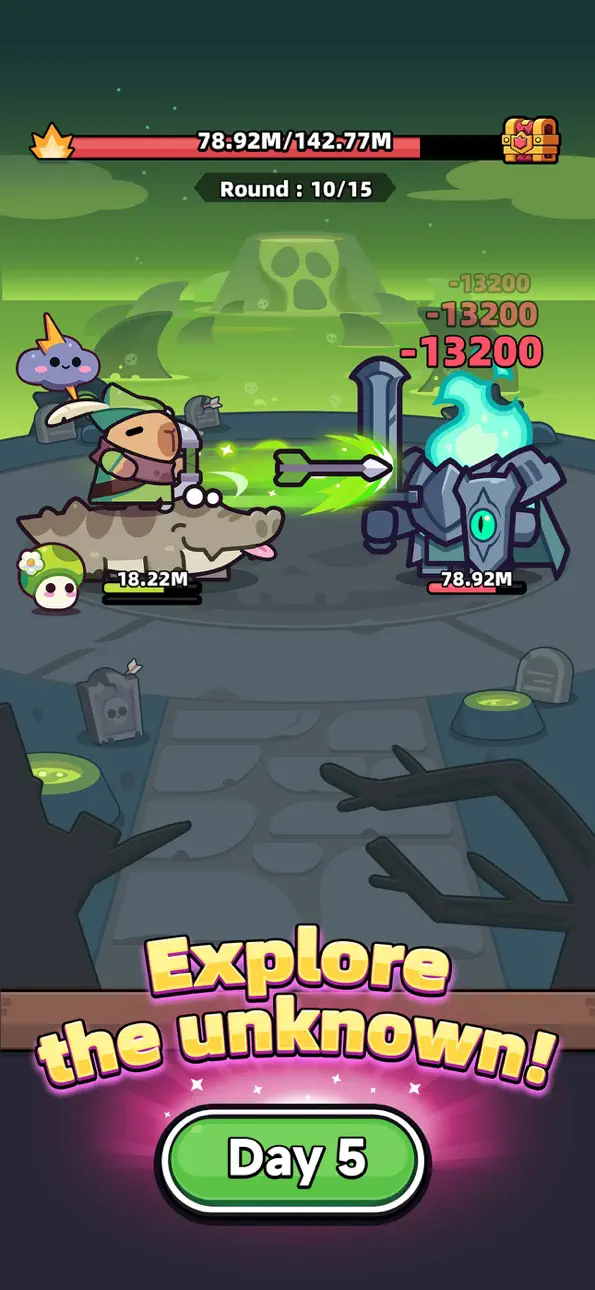
Love capybaras so much you want to play as one? Get ready to embark on a whimsical adventure with a bunch of furry, feathery, fantastic friends!
Introducing the craziest capybara roguelike adventure RPG!
Dive into the world of capybaras with "CAPYBARA GO"!
- Your journey starts and ends with the capybara! Befriend it, bond with it, deck it out with the best gear and explore the wildl!
- Yes, it's a text-based roguelike adventure! Endless adventures with randomized events, conquer the challenges ahead!
- Forge kindred bonds with other animal companions! Form alliances and face dangers together!
- Will you take the road off the beaten path or go the chaotic capybara route? Uncover hidden secrets with your capybara companion!
Victory or defeat depends entirely on your choices and luck (good, bad and ugly)!
CAPYBARA GO - A text-based roguelike RPG starring a capybara! Dive headfirst into bizarre adventures with some whismy, some irreverence, and a shovelful of good ol’ madness in this cute capy caper!
©2025 Viacom Overseas Holdings C.V. All Rights Reserved. Teenage Mutant Ninja Turtles and all related titles, logos and characters are trademarks of Viacom Overseas Holdings C.V. Nickelodeon and all related titles and logos are trademarks of Viacom International Inc.
Screenshots © their respective owners · App Store


iOSGods is not affiliated with, endorsed by, or sponsored by Apple Inc., Google LLC, or the developers of the apps listed here. Apple, iOS and App Store are trademarks of Apple Inc. Android and Google Play are trademarks of Google LLC. All other app names, icons, artwork and trademarks belong to their respective owners.
- Non-Jailbroken/Jailed or Jailbroken iPhone or iPad.
- Sideloadly or alternatives.
- Computer running Windows/macOS/Linux with iTunes installed.
STEP 1: Download the pre-hacked .IPA file from the link above to your computer. To download from the iOSGods App, see our iOSGods App IPA Download Tutorial which includes a video example.
STEP 2: Download Sideloadly and install it on your Windows or Mac.
STEP 3: Open Sideloadly on your computer, connect your iOS device, and wait until your device name appears in Sideloadly.
STEP 4: Once your iDevice is recognized, drag the modded .IPA file you downloaded and drop it into the Sideloadly application.
STEP 5: Enter your Apple Account email, then press “Start.” You’ll then be asked to enter your password. Go ahead and provide the required information.
STEP 6: Wait for Sideloadly to finish sideloading/installing the hacked IPA. If there are issues during installation, please read the note below.
STEP 7: Once the installation is complete and you see the app on your Home Screen, you will need to go to Settings → General → Profiles / VPN & Device Management. Once there, tap on the email you entered from step 6, and then tap on “Trust [email protected]”.
STEP 8: Now go to your Home Screen and open the newly installed app and everything should work fine. You may need to follow further per app instructions inside the hack's popup in-game.
NOTE: iOS/iPadOS 16 and later, you must enable Developer Mode. For free Apple Developer accounts, you will need to repeat this process every 7 days. If you have any questions or problems, read our Sideloadly FAQ section of the topic.
Game Name iOS Mod IPA is an action adventure game enhanced with powerful gameplay boosts and quality-of-life improvements. Win battles faster, earn rewards quicker, and enjoy uninterrupted play without ads.
- Unlimited Gold - spend freely to unlock premium content
- Damage Multiplier - deal significantly more damage in combat
- Defense Multiplier - take less damage and survive longer
- Reward Multiplier - earn more loot from every battle
- Max Level - instantly reach the highest player rank
- No Ads - play without interruptions or advertisements
This app also comes with iGameGod, giving you access to Auto Touch to automate repetitive tasks, App Speed Manager for adjustable gameplay speed, Memory Engine value editing, and more powerful iOS game tools.
Download Game Name Mod IPA from the links above. Tap the install button and follow the on-screen instructions to install this iOS app hack on your iPhone, iPad, or Apple Silicon.
Need more help Check out our iOSGods App Frequently Asked Questions for detailed answers and troubleshooting tips.
----------------------------------------------------------
--------------------------------------------------