Login Required
Sign in with your iOSGods account to continue.
Sign in with your iOSGods account to continue.
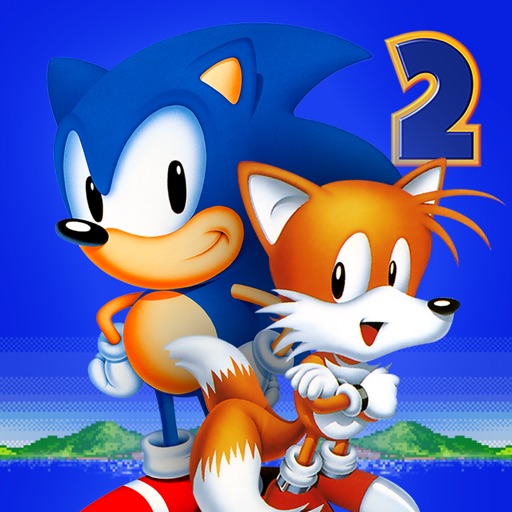
Get free in-app purchases in this classic Sonic The Hedgehog 2 Mod IPA, unlocking premium content without spending. Relive SEGA's legendary platformer on iOS with all paid items instantly available, so you can focus on defeating Dr. Eggman and collecting Chaos Emeralds across twelve action-packed zones.
- Free In-App Purchases → unlock all premium content at no cost
This app also comes with iGameGod, giving you access to Auto Touch to automate repetitive tasks, App Speed Manager for adjustable gameplay speed, Memory Engine value editing, and more powerful iOS game tools.
Download Sonic The Hedgehog 2 Classic Hack modded IPA from the links above. Tap the install button and follow the on-screen instructions to install this iOS app hack on your iPhone, iPad, or Apple Silicon.
Need more help? Check out our iOSGods App Frequently Asked Questions for detailed answers and troubleshooting tips.
One of the best selling SEGA games of all time - Sonic The Hedgehog 2 is now available for free on mobile! Rediscover SEGA’s super Sonic masterpiece!
Dr. Eggman is back to his old tricks, trying to find the seven Chaos Emeralds that will enable him to complete his ultimate weapon, the Death Egg. Only the triple threat of Sonic, Tails, and Knuckles can defeat him in this remaster from the team behind Sonic Mania!
Sonic The Hedgehog 2 joins the ever-increasing line-up of ‘SEGA Forever’, a treasure trove of free SEGA console classics brought to life on mobile for the first time!
FEATURES
- Twelve Badnik-infested zones to master, from underwater caverns to neon-lit casinos!
- Compete online, take on the Time Attack mode, and the all-new Boss Attack mode!
- Play the secret Hidden Palace Zone stage that didn't make it into the original release!
- Fight Dr. Eggman's creations, including the terrifying Mecha Sonic
- Obtain all the Chaos Emeralds to transform into Super Sonic and Super Knuckles!
MOBILE GAME FEATURES
- PLAY FREE with ad-support or ad-free via In-App Purchase
- SAVE YOUR GAMES – save your progress at any point in the game.
- LEADERBOARDS – compete with the world for high scores
RETRO REVIEWS
"Without doubt, it's SEGA's best game ever." [96%] - Stuart Clarke, Mega Zone #25 (December 1992)
"Faster, slicker, more colourful, louder, bigger, and much, much tougher than the original." [96%] - Julian "Jaz" Rignall, Mean Machines SEGA #2 (November 1992)
"Packs a ton more punch than Bluey's first outing." [94%] - Paul Anglin, Computer & Video Games #132 (November 1992)
SONIC THE HEDGEHOG 2 TRIVIA
- This is the most complete version of Sonic The Hedgehog 2 to date, complete with widescreen, 60FPS action, and a remastered soundtrack!
- This was the first Sonic game to feature the Spin Dash move
- The Master System version was the first game Tails appeared in, although he wasn’t playable!
- Unlike the Mega Drive/Genesis original, you can now fly as Tails!
SONIC THE HEDGEHOG 2 HISTORY
- The game was originally released worldwide in November 1992
- Original developer: Sonic Team & SEGA Technical Institute
- Designer: Hirokazu Yasuhara
- Lead Composer: Masato Nakamura
- - - - -
Game apps are ad-supported and no in-app purchases are required to progress; ad-free play option available with in-app purchase.
Other than for users known to be under 13, this game may include "Interest Based Ads" and may collect "Precise Location Data". Please see our privacy policy for more information.
© SEGA. All rights reserved. SEGA, the SEGA logo, SONIC and SONIC THE HEDGEHOG 2, SEGA Forever and the SEGA Forever logo are registered trademarks or trademarks of SEGA CORPORATION or its affiliates.
Screenshots © their respective owners · App Store

![Arrow Rush: Archer Roguelike iOS Mod IPA [ Debug Menu ]](https://is1-ssl.mzstatic.com/image/thumb/Purple221/v4/11/10/2a/11102a73-6721-55fa-c672-cacfc46ddaa8/AppIcon-0-0-1x_U007emarketing-0-8-0-85-220.png/100x100bb.jpg)

iOSGods is not affiliated with, endorsed by, or sponsored by Apple Inc., Google LLC, or the developers of the apps listed here. Apple, iOS and App Store are trademarks of Apple Inc. Android and Google Play are trademarks of Google LLC. All other app names, icons, artwork and trademarks belong to their respective owners.
- Non-Jailbroken/Jailed or Jailbroken iPhone or iPad.
- Sideloadly or alternatives.
- Computer running Windows/macOS/Linux with iTunes installed.
STEP 1: Download the pre-hacked .IPA file from the link above to your computer. To download from the iOSGods App, see our iOSGods App IPA Download Tutorial which includes a video example.
STEP 2: Download Sideloadly and install it on your Windows or Mac.
STEP 3: Open Sideloadly on your computer, connect your iOS device, and wait until your device name appears in Sideloadly.
STEP 4: Once your iDevice is recognized, drag the modded .IPA file you downloaded and drop it into the Sideloadly application.
STEP 5: Enter your Apple Account email, then press “Start.” You’ll then be asked to enter your password. Go ahead and provide the required information.
STEP 6: Wait for Sideloadly to finish sideloading/installing the hacked IPA. If there are issues during installation, please read the note below.
STEP 7: Once the installation is complete and you see the app on your Home Screen, you will need to go to Settings → General → Profiles / VPN & Device Management. Once there, tap on the email you entered from step 6, and then tap on “Trust [email protected]”.
STEP 8: Now go to your Home Screen and open the newly installed app and everything should work fine. You may need to follow further per app instructions inside the hack's popup in-game.
NOTE: iOS/iPadOS 16 and later, you must enable Developer Mode. For free Apple Developer accounts, you will need to repeat this process every 7 days. If you have any questions or problems, read our Sideloadly FAQ section of the topic.
Game Name iOS Mod IPA is an action adventure game enhanced with powerful gameplay boosts and quality-of-life improvements. Win battles faster, earn rewards quicker, and enjoy uninterrupted play without ads.
- Unlimited Gold - spend freely to unlock premium content
- Damage Multiplier - deal significantly more damage in combat
- Defense Multiplier - take less damage and survive longer
- Reward Multiplier - earn more loot from every battle
- Max Level - instantly reach the highest player rank
- No Ads - play without interruptions or advertisements
This app also comes with iGameGod, giving you access to Auto Touch to automate repetitive tasks, App Speed Manager for adjustable gameplay speed, Memory Engine value editing, and more powerful iOS game tools.
Download Game Name Mod IPA from the links above. Tap the install button and follow the on-screen instructions to install this iOS app hack on your iPhone, iPad, or Apple Silicon.
Need more help Check out our iOSGods App Frequently Asked Questions for detailed answers and troubleshooting tips.
----------------------------------------------------------
--------------------------------------------------


![Goose Goose Duck iOS Mod IPA [ ESP Boxes, Lines ]](https://is1-ssl.mzstatic.com/image/thumb/Purple211/v4/26/91/07/269107a5-88fd-644d-f6fd-89ce22dbb3ce/AppIcon-0-0-1x_U007emarketing-0-8-0-85-220.png/100x100bb.jpg)


![Rapid Reload iOS Mod IPA [ Debug Menu ]](https://is1-ssl.mzstatic.com/image/thumb/Purple221/v4/d4/7d/f8/d47df8df-b3dd-0bc0-d977-cf28ee64a3e0/AppIcon-0-0-1x_U007emarketing-0-8-0-85-220.png/100x100bb.jpg)


![Kingdom Merge! iOS Mod IPA [ Debug Menu ]](https://is1-ssl.mzstatic.com/image/thumb/Purple221/v4/df/7a/a0/df7aa06e-41b3-d3de-9bf6-745251b0bb15/AppIcon-1x_U007emarketing-0-7-0-85-220-0.png/100x100bb.jpg)

