تسجيل الدخول مطلوب
سجّل الدخول بحساب iOSGods للمتابعة.
Hack Features:
- Free iAP
- Unlimited Skills
This app also includes iGameGod. Use Auto Touch to automate repetitive tasks, the App Speed Manager to play at your own pace, the Memory Engine for value edits, and more powerful in-game tools.
قم بتنزيل Stick All Star Warriors Hack modded IPA من الروابط أعلاه. اضغط على زر التثبيت واتبع التعليمات لتثبيت هذا التعديل لـ iOS على iPhone أو iPad أو Apple Silicon.
هل تحتاج إلى مزيد من المساعدة؟ راجع الأسئلة الشائعة لتطبيق iOSGods للحصول على إجابات مفصلة ونصائح لاستكشاف الأخطاء.

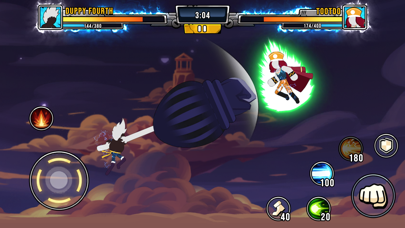
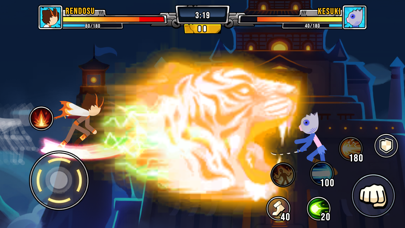
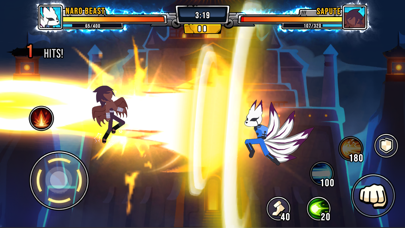
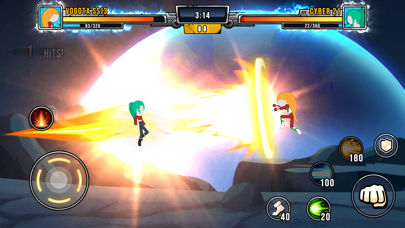
Every war will come to an end and those ending battles are always the fiercest and fiercest battles. The best Dragon Warriors in the Super Stickman Dragon Warriors game are also fighting to find the truest and most powerful warrior.
You will have a great time experiencing this basic but intriguing game. All you have to do is fly, dodge, charge your ki, perform basic and three advanced attacks, transform your hero into a special form and fight. The controls are so simple that you'll be surprised at how appealing the sound effects and graphics are.
FEATURES
General
There are plenty of game modes for you to play, easy to unlock your favorite characters through gameplay and customize a character with your own creation. Offline mode is available so you can play anytime anywhere.
A huge amount of powerful combatants
- Earn Coins and Diamond from victory battles to unlock more than 50+ warriors
- Each Warrior has a unique skill base on the power of a superhero that they incarnate
- Unlock and play as any characters, Villains or Heroes that your choice
Game Modes and Rewards
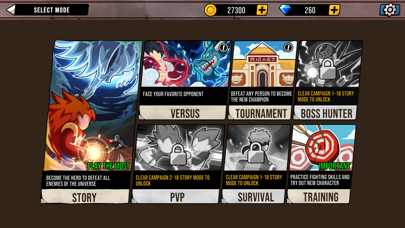
There are 7 different game modes to choose from:
- PVP Mode: An arena that every player in the world wants to be in. This place is for the strongest. You come here and fight for the top position in this game. Wouldn't you love to see your name in the top rank of the worldwide?
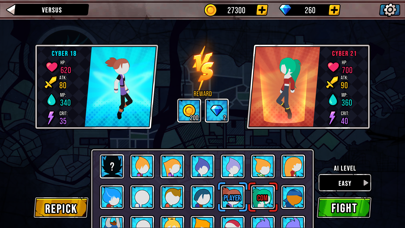
- Versus mode: In addition to the traditional fighting mode, Super Stickman Dragon Warriors also introduces new team fighting modes for you to enjoy with your friends. Matches can also be included in the tournament to find the strongest team and win the biggest rewards.
- Story mode: Tightly constructed and logically takes you on an emotional journey from calm to climax. The story will bring you completely into the heart of the character, taking your chosen character as far as possible is your main task. The later, the more the plot will surprise you and attract you.
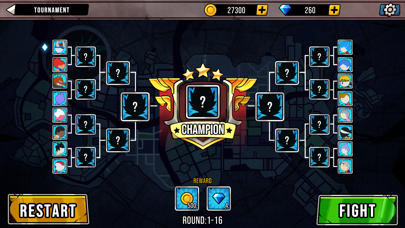
- Tournament mode: The strongest teams will compete together. The winning team will be honored on the arena gold board as a trophy.
- Boss hunter mode: Gathering the most formidable monsters also gives you the most worthy rewards if you win.
- Survival mode: You will have a certain amount of strength health. Within that blood limit, fight as hard as you can to bring back a lot of gold and items.
- Training Mode: Practice fighting skills and try out the power of new character opened
Reward:
- Lots of free bonuses
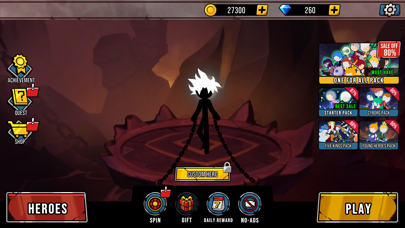
- Lucky spins will often appear with valuable gifts or features.
- iPhone أو iPad بجيلبريك أو بدون جيلبريك.
- Sideloadly أو بدائلها.
- كمبيوتر يعمل بنظام Windows/macOS/Linux مع تثبيت iTunes.
الخطوة 1: قم بتنزيل ملف .IPA المعدّل مسبقًا من الرابط أعلاه إلى الكمبيوتر الخاص بك. للتنزيل من تطبيق iOSGods App، اطلع على دليل تنزيل IPA من تطبيق iOSGods App الذي يتضمن مثالًا بالفيديو.
الخطوة 2: قم بتنزيل Sideloadly وتثبيته على جهاز Windows أو Mac.
الخطوة 3: افتح Sideloadly على الكمبيوتر، ووصّل جهاز iOS الخاص بك، وانتظر حتى يظهر اسم جهازك داخل Sideloadly.
الخطوة 4: بمجرد التعرّف على جهاز iDevice الخاص بك، اسحب ملف .IPA المعدّل الذي قمت بتنزيله وأفلِته داخل تطبيق Sideloadly.
الخطوة 5: أدخل البريد الإلكتروني لحساب Apple Account الخاص بك، ثم اضغط على «Start». سيُطلب منك بعد ذلك إدخال كلمة المرور. تابع وأدخل المعلومات المطلوبة.
الخطوة 6: انتظر حتى ينتهي Sideloadly من تحميل/تثبيت ملف IPA المعدّل. في حال واجهت أي مشاكل أثناء التثبيت، يرجى قراءة الملاحظة أدناه.
الخطوة 7: بعد اكتمال التثبيت ورؤية التطبيق على الشاشة الرئيسية، انتقل إلى Settings → General → Profiles / VPN & Device Management. ثم اضغط على البريد الإلكتروني الذي أدخلته في الخطوة 6، ثم اضغط على «الوثوق بـ [email protected]».
الخطوة 8: الآن انتقل إلى الشاشة الرئيسية وافتح التطبيق الذي تم تثبيته للتو وسيعمل كل شيء بشكل صحيح. قد تحتاج إلى اتباع تعليمات إضافية خاصة بكل تطبيق داخل النافذة المنبثقة للتعديل أثناء اللعب.
ملاحظة: بدءًا من iOS/iPadOS 16 وما بعده، يجب تفعيل وضع المطور (Developer Mode). بالنسبة لحسابات Apple Developer المجانية، ستحتاج إلى تكرار هذه العملية كل 7 أيام. إذا كانت لديك أي أسئلة أو مشاكل، يرجى قراءة قسم الأسئلة الشائعة حول Sideloadly في الموضوع.