Login Required
Sign in with your iOSGods account to continue.
Sign in with your iOSGods account to continue.
Self Care Vampire is a romance simulation game where self-care rituals unlock deeper connections with immortal companions, and this free Mod IPA removes the paywall by unlocking premium bundles and currencies. Build daily habits like hydration and stretching to strengthen your relationship with vampires, werewolves, and other supernatural love interests while enjoying all the game's content without grinding or spending.
- Unlimited Currencies → spend freely on in-game purchases
- Bundles Unlocked → access all premium content packs
This app also comes with iGameGod, giving you access to Auto Touch to automate repetitive tasks, App Speed Manager for adjustable gameplay speed, Memory Engine value editing, and more powerful iOS game tools.
Download Self Care Vampire iOS Mod IPA from the links above. Tap the install button and follow the on-screen instructions to install this iOS app hack on your iPhone, iPad, or Apple Silicon.
Need more help? Check out our iOSGods App Frequently Asked Questions for detailed answers and troubleshooting tips.
Delicious self care awaits - let immortals tempt you into drinking water, stretching and more!
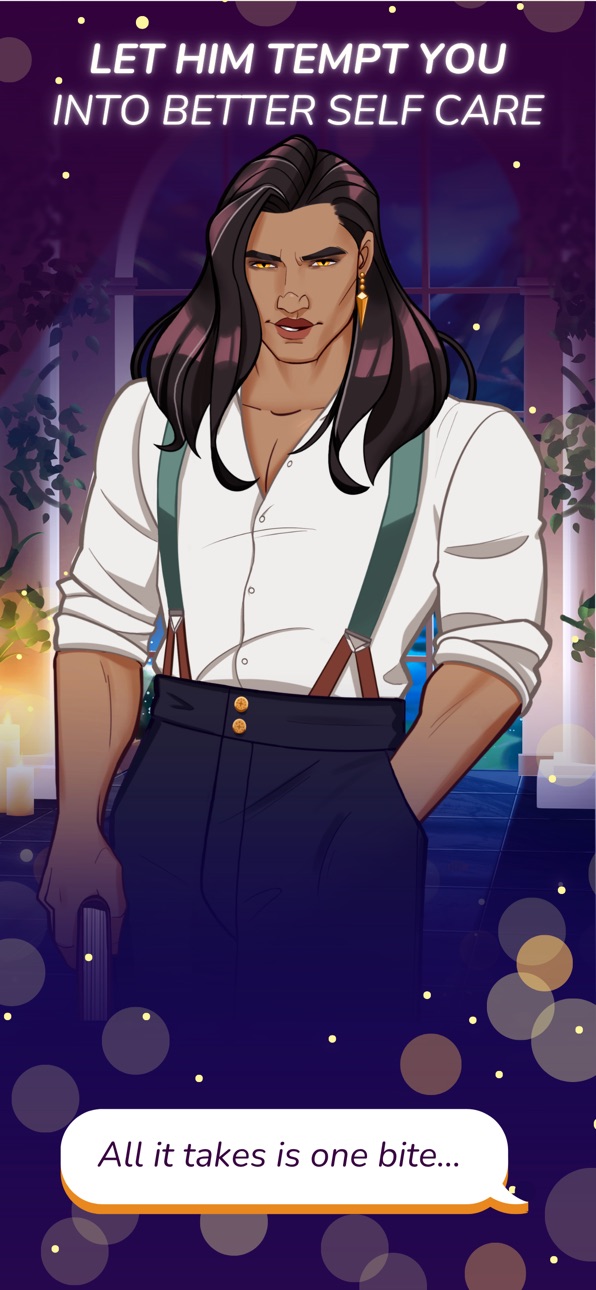
Self Care Vampire is a romance game where the more you take care of yourself, the better you'll taste for your immortal companion.
A romance game built around self care:
- Build daily rituals - hydration, stretching, mindfulness and beyond - to boost both your wellbeing and your relationship with vampires, werewolves and more
- Fall for a diverse cast including Elijah, an ancient vampire with a mysterious past, Victor the gruff yet warm werewolf, or Seraphine the flirtatious lady vampire
- Delicious voice acting, beautiful art and deep narrative writing - made by humans, not GenAI
- Choose your path: pursue slow-burn romance, deep friendship, or simply focus on a healing journey of self discovery
- Unlock deep storylines, outfits, dates, and moments in a character’s past through history as your as self care habits and emotional intimacy deepen
- Set customizable self care reminders and personal tasks to get the most out of your day
- Ship characters together, romance them yourselves - or explore polyamorous options in future updates
If you love self care apps, cozy games, visual novels, dating sims, dark romance, booktok, or gothic fantasy world with a soft, introspective twist, the game Self Care Vampire blends romance, choice-driven storytelling, and a self care focus into a blush-worthy, motivating daily experience.
It's time to step into a dark fantasy world where daily self care tasks deepen your bonds with supernatural creatures….
From the first moment in Self Care, players will meet their new immortal companion - an ancient vampire who’s not just after your blood, but your wellbeing. In Self-Care Vampire your nightly fanged friend will encourage you to build healthier habits, unwind after long days, and take care of yourself.
Trade your endless scroll for an endless night. Perfect for anyone who wants their self care routine served with a side of dark charm!
Screenshots © their respective owners · App Store


iOSGods is not affiliated with, endorsed by, or sponsored by Apple Inc., Google LLC, or the developers of the apps listed here. Apple, iOS and App Store are trademarks of Apple Inc. Android and Google Play are trademarks of Google LLC. All other app names, icons, artwork and trademarks belong to their respective owners.

- Non-Jailbroken/Jailed or Jailbroken iPhone or iPad.
- Sideloadly or alternatives.
- Computer running Windows/macOS/Linux with iTunes installed.
STEP 1: Download the pre-hacked .IPA file from the link above to your computer. To download from the iOSGods App, see our iOSGods App IPA Download Tutorial which includes a video example.
STEP 2: Download Sideloadly and install it on your Windows or Mac.
STEP 3: Open Sideloadly on your computer, connect your iOS device, and wait until your device name appears in Sideloadly.
STEP 4: Once your iDevice is recognized, drag the modded .IPA file you downloaded and drop it into the Sideloadly application.
STEP 5: Enter your Apple Account email, then press “Start.” You’ll then be asked to enter your password. Go ahead and provide the required information.
STEP 6: Wait for Sideloadly to finish sideloading/installing the hacked IPA. If there are issues during installation, please read the note below.
STEP 7: Once the installation is complete and you see the app on your Home Screen, you will need to go to Settings → General → Profiles / VPN & Device Management. Once there, tap on the email you entered from step 6, and then tap on “Trust [email protected]”.
STEP 8: Now go to your Home Screen and open the newly installed app and everything should work fine. You may need to follow further per app instructions inside the hack's popup in-game.
NOTE: iOS/iPadOS 16 and later, you must enable Developer Mode. For free Apple Developer accounts, you will need to repeat this process every 7 days. If you have any questions or problems, read our Sideloadly FAQ section of the topic.
Game Name iOS Mod IPA is an action adventure game enhanced with powerful gameplay boosts and quality-of-life improvements. Win battles faster, earn rewards quicker, and enjoy uninterrupted play without ads.
- Unlimited Gold - spend freely to unlock premium content
- Damage Multiplier - deal significantly more damage in combat
- Defense Multiplier - take less damage and survive longer
- Reward Multiplier - earn more loot from every battle
- Max Level - instantly reach the highest player rank
- No Ads - play without interruptions or advertisements
This app also comes with iGameGod, giving you access to Auto Touch to automate repetitive tasks, App Speed Manager for adjustable gameplay speed, Memory Engine value editing, and more powerful iOS game tools.
Download Game Name Mod IPA from the links above. Tap the install button and follow the on-screen instructions to install this iOS app hack on your iPhone, iPad, or Apple Silicon.
Need more help Check out our iOSGods App Frequently Asked Questions for detailed answers and troubleshooting tips.
----------------------------------------------------------
--------------------------------------------------