Login Required
Sign in with your iOSGods account to continue.
Sign in with your iOSGods account to continue.
Unlimited Coins Multiplier and frozen moves in this free Mod IPA transform Match Hunters into a puzzle game where you control the pace and never run short on resources. Every level becomes a relaxed, strategic experience when boosters stay locked and your move count holds steady.
Whether you're hunting through sparkly dungeons at your own speed or experimenting with board tactics without pressure, this hack lets you focus on the charming match-3 gameplay and adorable monsters instead of grinding for currency or watching the clock tick down.
- Coins Multiplier → earn more currency per match
- Live Enough → maintain your health throughout levels
- Moves Freeze → keep your move count from decreasing
- Booster Freeze → prevent boosters from being consumed
This app also comes with iGameGod, giving you access to Auto Touch to automate repetitive tasks, App Speed Manager for adjustable gameplay speed, Memory Engine value editing, and more powerful iOS game tools.
Download Match Hunters iOS Mod IPA from the links above. Tap the install button and follow the on-screen instructions to install this iOS app hack on your iPhone, iPad, or Apple Silicon.
Need more help? Check out our iOSGods App Frequently Asked Questions for detailed answers and troubleshooting tips.
Match Hunters
A Charming Puzzle Adventure where every move counts
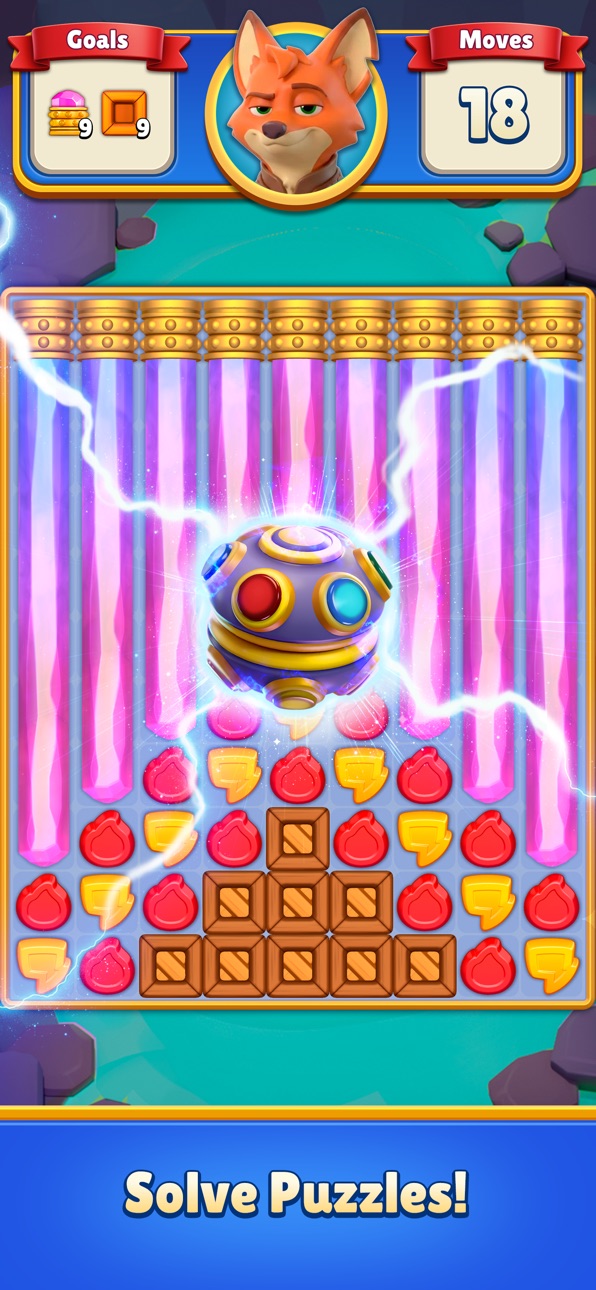
Step into a playful world of sparkly treasures, magical dungeons, and adorably dangerous monsters. Match your way through surprising rooms, discover rewards, and enjoy a fresh twist on every run.
Match-3 Puzzles Reimagined
Cheeky little creatures jump into your board, adding a fun twist to every match. They wiggle, block, poke, and react, making each puzzle feel alive and full of personality.
Varied Levels
Swap between relaxing puzzle challenges like collecting gems or breaking shiny blockers, and light combat encounters where mischievous enemies playfully fight back. The mix keeps the journey lively and satisfying.
A Cozy Dungeon Crawl
Explore dungeon paths, open mystery doors, and uncover sparkling loot that gives you a boost for the journey. Every room feels new. Every dungeon is different. And every move counts.
Boost Your Run
Find helpful bonuses, unlock playful powers, and discover little surprises that make each attempt feel more exciting than the last.
A Sweet Adventure That Keeps You Playing
Go deeper, discover shinier treasures, face adorably dangerous foes, and enjoy an adventure made for both quick breaks and long cozy sessions.
Screenshots © their respective owners · App Store


iOSGods is not affiliated with, endorsed by, or sponsored by Apple Inc., Google LLC, or the developers of the apps listed here. Apple, iOS and App Store are trademarks of Apple Inc. Android and Google Play are trademarks of Google LLC. All other app names, icons, artwork and trademarks belong to their respective owners.

- Non-Jailbroken/Jailed or Jailbroken iPhone or iPad.
- Sideloadly or alternatives.
- Computer running Windows/macOS/Linux with iTunes installed.
STEP 1: Download the pre-hacked .IPA file from the link above to your computer. To download from the iOSGods App, see our iOSGods App IPA Download Tutorial which includes a video example.
STEP 2: Download Sideloadly and install it on your Windows or Mac.
STEP 3: Open Sideloadly on your computer, connect your iOS device, and wait until your device name appears in Sideloadly.
STEP 4: Once your iDevice is recognized, drag the modded .IPA file you downloaded and drop it into the Sideloadly application.
STEP 5: Enter your Apple Account email, then press “Start.” You’ll then be asked to enter your password. Go ahead and provide the required information.
STEP 6: Wait for Sideloadly to finish sideloading/installing the hacked IPA. If there are issues during installation, please read the note below.
STEP 7: Once the installation is complete and you see the app on your Home Screen, you will need to go to Settings → General → Profiles / VPN & Device Management. Once there, tap on the email you entered from step 6, and then tap on “Trust [email protected]”.
STEP 8: Now go to your Home Screen and open the newly installed app and everything should work fine. You may need to follow further per app instructions inside the hack's popup in-game.
NOTE: iOS/iPadOS 16 and later, you must enable Developer Mode. For free Apple Developer accounts, you will need to repeat this process every 7 days. If you have any questions or problems, read our Sideloadly FAQ section of the topic.
Hack Features:
- Inf Coins (Spend)
App Installation Instructions:
---------------------------------------------------------
----------------------------------------------------------
If you require more information or help, please read our Frequently Asked Questions topic on iOSGods.com.
----------------------------------------------------------
--------------------------------------------------