Login necessário
Entre com sua conta iOSGods para continuar.
Entre com sua conta iOSGods para continuar.
Gemas Ilimitadas e Congelamento de Dinheiro desbloqueiam recursos infinitos neste Mod IPA gratuito de Fight Star, permitindo que você construa seu império de academia de luta sem grind ou assistir anúncios.
Pule a espera ociosa e as interrupções de anúncios, com esses truques ativos, você pode se concentrar puramente em recrutar campeões, treinar lutadores em diferentes disciplinas de artes marciais e ver seu time dominar o ringue. Perfeito para jogadores que querem aproveitar a estratégia de gerenciamento e combate sem o atrito da monetização.
- Sem Anúncios / Recompensas Grátis → remove anúncios mantendo o acesso às recompensas
- Anúncios Máximos → maximiza os benefícios relacionados a anúncios
- Gemas Congeladas → impede o consumo de gemas ao gastar
- Dinheiro Congelado → impede o consumo de dinheiro ao gastar
- Nível Máximo → define os níveis dos lutadores para o máximo
Este app também vem com iGameGod, oferecendo acesso ao Auto Touch para automatizar tarefas repetitivas, App Speed Manager para ajustar a velocidade do jogo, edição de valores com Memory Engine e outras ferramentas avançadas para jogos iOS.
Baixe Fight Star - Team Manager Idle iOS Mod IPA dos links acima. Toque no botão de instalação e siga as instruções para instalar este hack iOS no seu iPhone, iPad ou Apple Silicon.
Precisa de mais ajuda? Confira nossas Perguntas frequentes sobre o app iOSGods para respostas detalhadas e dicas de solução de problemas.
Build the greatest fight gym in the world, one champion at a time.
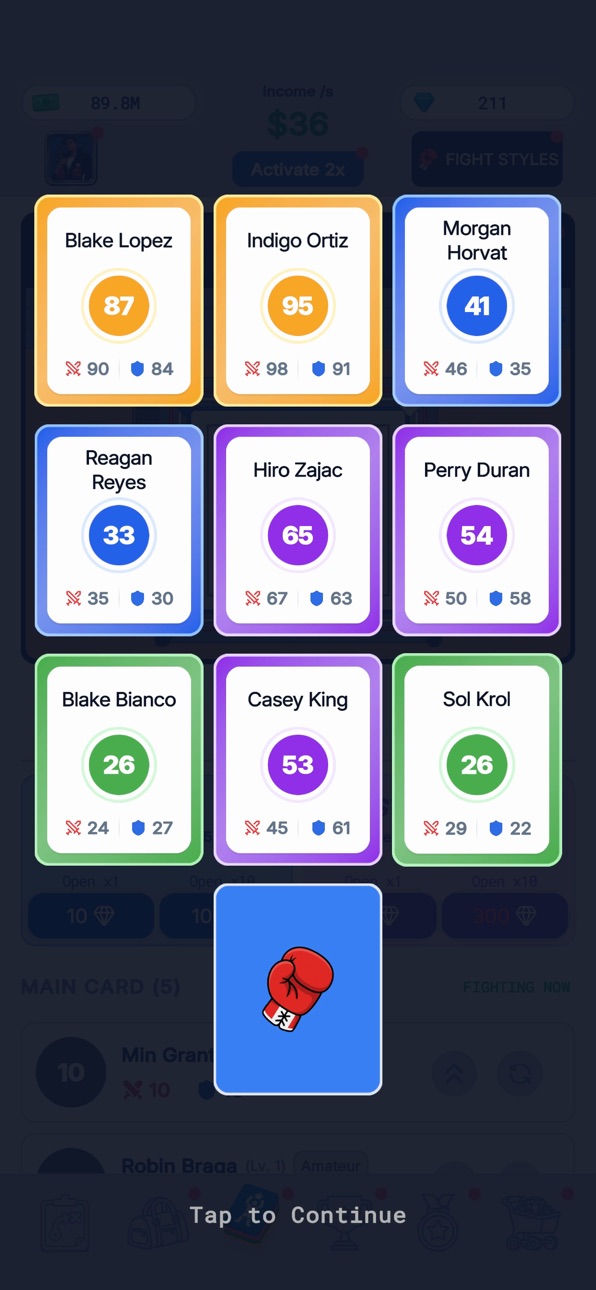
Fight Star is an idle combat sports manager where you run your own fighting gym and turn raw rookies into world champions. Recruit fighters, train them, equip their gear, and send them into the ring, the cage, and the mat across six martial arts disciplines. Every bout plays out in front of you, so sit back, tap, and watch your team punch, kick, throw, and submit their way to the top.
This is a laid back idle game and management simulator in one. Your gym keeps earning even while you are away, so you come back to stacks of cash, new fighters to draw, and upgrades to buy. Part idle RPG, part sports tycoon, part fighting game, all under your control.
SIX FIGHTING DISCIPLINES
Boxing, MMA, wrestling, karate, Muay Thai, and Brazilian Jiu Jitsu. Each discipline has its own fighters, its own arena, and its own style of bout, from clean knockouts to takedowns and submissions.
RECRUIT AND COLLECT FIGHTERS
Draw new fighters, fill out your roster, and build the deepest stable in the game. Every fighter you collect makes your gym stronger and your idle income bigger.
TRAIN, UPGRADE, AND EQUIP
Level up your fighters, unlock skills and techniques, and gear them up with gloves, wraps, mouthguards, and more. Kit out each fighter with outfits and looks that make your champions stand out.
WATCH EVERY BOUT
No fast forward needed. Watch real time 2D fights where your fighters trade punches, land combos, score knockdowns, throw opponents, and finish with a KO or a submission.
CLIMB THE RANKS
Take on the career ladder and fight your way up ten leagues in every discipline. Win trophies, boost your income multipliers, and prove your gym is the best in the business.
JOIN A CLUB
Fight Star is better together. Join a club, team up with managers from around the world, and grow your gyms side by side.
IDLE EARNINGS THAT NEVER STOP
Your fighters keep training and your gym keeps earning around the clock. Perfect for a quick tap session or a long training camp, whether you have five minutes or five hours.
SEASON PASS AND REWARDS
Complete tasks, earn season points, and climb the Season Pass for even more fighters, gear, and cash.
If you love idle games, tycoon and manager sims, boxing games, MMA games, and martial arts fighting games, Fight Star puts the whole combat sports world in your pocket.
Can you build the ultimate fight gym and crown a champion in every discipline?
Download Fight Star now, start your idle fighting empire, and become the greatest manager in the game.
Capturas © respectivos proprietários · App Store


A iOSGods não é afiliada, endossada nem patrocinada pela Apple Inc., pela Google LLC ou pelos desenvolvedores dos apps listados aqui. Apple, iOS e App Store são marcas da Apple Inc. Android e Google Play são marcas da Google LLC. Todos os demais nomes de apps, ícones, imagens e marcas pertencem aos seus respectivos proprietários.

- iPhone ou iPad sem jailbreak/jailed ou com jailbreak.
- Sideloadly ou alternativas.
- Computador com Windows/macOS/Linux e iTunes instalado.
PASSO 1: Baixe o arquivo .IPA pré-hackeado do link acima para o seu computador. Para baixar pelo iOSGods App, veja nosso Tutorial de download de IPA do iOSGods App, que inclui um exemplo em vídeo.
PASSO 2: Baixe o Sideloadly e instale-o no seu Windows ou Mac.
PASSO 3: Abra o Sideloadly no seu computador, conecte seu dispositivo iOS e aguarde até que o nome do dispositivo apareça no Sideloadly.
PASSO 4: Assim que seu iDevice for reconhecido, arraste o arquivo .IPA modificado que você baixou e solte-o no aplicativo Sideloadly.
PASSO 5: Digite o e-mail da sua Apple Account e pressione “Start”. Em seguida, será solicitada a sua senha. Prossiga e forneça as informações solicitadas.
PASSO 6: Aguarde o Sideloadly finalizar o sideload/instalação do IPA hackeado. Se houver problemas durante a instalação, leia a observação abaixo.
PASSO 7: Quando a instalação estiver concluída e você vir o app na Tela de Início, será necessário acessar Ajustes → Geral → Perfis / Gerenciamento de VPN e Dispositivo. Lá, toque no e-mail que você inseriu no passo 6 e, em seguida, toque em “Confiar em [email protected]”.
PASSO 8: Agora vá para a Tela de Início e abra o app recém-instalado; tudo deve funcionar normalmente. Você pode precisar seguir instruções adicionais específicas no popup do hack dentro do jogo.
OBSERVAÇÃO: No iOS/iPadOS 16 e versões posteriores, você deve ativar o Modo de Desenvolvedor. Para contas Apple Developer gratuitas, será necessário repetir este processo a cada 7 dias. Se tiver dúvidas ou problemas, leia nossa seção de FAQ do Sideloadly no tópico.
Game Name iOS Mod IPA is an action adventure game enhanced with powerful gameplay boosts and quality-of-life improvements. Win battles faster, earn rewards quicker, and enjoy uninterrupted play without ads.
- Unlimited Gold - spend freely to unlock premium content
- Damage Multiplier - deal significantly more damage in combat
- Defense Multiplier - take less damage and survive longer
- Reward Multiplier - earn more loot from every battle
- Max Level - instantly reach the highest player rank
- No Ads - play without interruptions or advertisements
This app also comes with iGameGod, giving you access to Auto Touch to automate repetitive tasks, App Speed Manager for adjustable gameplay speed, Memory Engine value editing, and more powerful iOS game tools.
Baixe Game Name Mod IPA dos links acima. Toque no botão de instalação e siga as instruções para instalar este hack iOS no seu iPhone, iPad ou Apple Silicon.
Precisa de mais ajuda Confira nossas Perguntas frequentes sobre o app iOSGods para respostas detalhadas e dicas de solução de problemas.
----------------------------------------------------------
--------------------------------------------------