Login Required
Sign in with your iOSGods account to continue.
Sign in with your iOSGods account to continue.
This free arcade pinball defense Mod IPA blends nostalgic flipper action with strategic tower defense, letting you bounce an endless ball against monster waves while placing bumpers with unique abilities to rack up massive combos.
With this hack, you can focus purely on mastering the pinball mechanics and experimenting with bumper placement without grinding for resources, unlimited gems, coins, and energy mean you're always ready for the next challenge, and maxed attack power lets you test strategies at full strength.
- Unlimited Gems → spend freely on upgrades and unlocks
- Unlimited Coins → purchase bumpers and abilities without limits
- Unlimited Energy → play continuously without waiting for refills
- Unlimited Card Exp → level up cards at maximum speed
- ATK MAX → deal peak damage with every hit
- Skill Active / 1 Hit → activate skills instantly and defeat enemies in one strike
This app also comes with iGameGod, giving you access to Auto Touch to automate repetitive tasks, App Speed Manager for adjustable gameplay speed, Memory Engine value editing, and more powerful iOS game tools.
Download Ball in! Pinball Defense iOS Mod IPA from the links above. Tap the install button and follow the on-screen instructions to install this iOS app hack on your iPhone, iPad, or Apple Silicon.
Need more help? Check out our iOSGods App Frequently Asked Questions for detailed answers and troubleshooting tips.
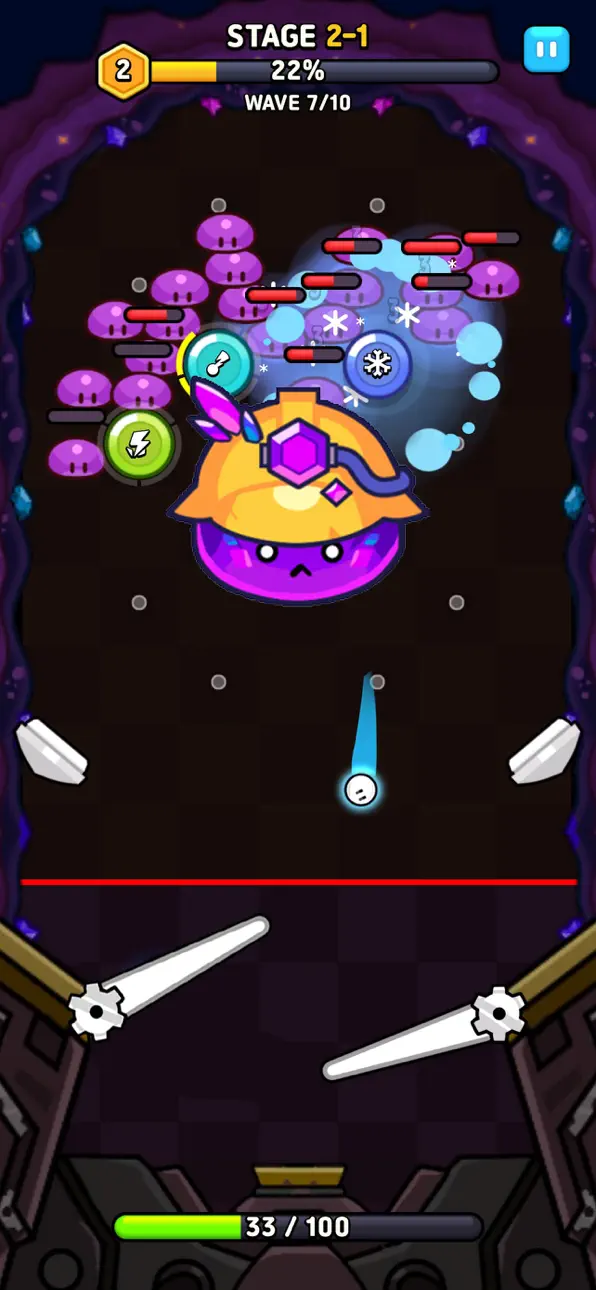
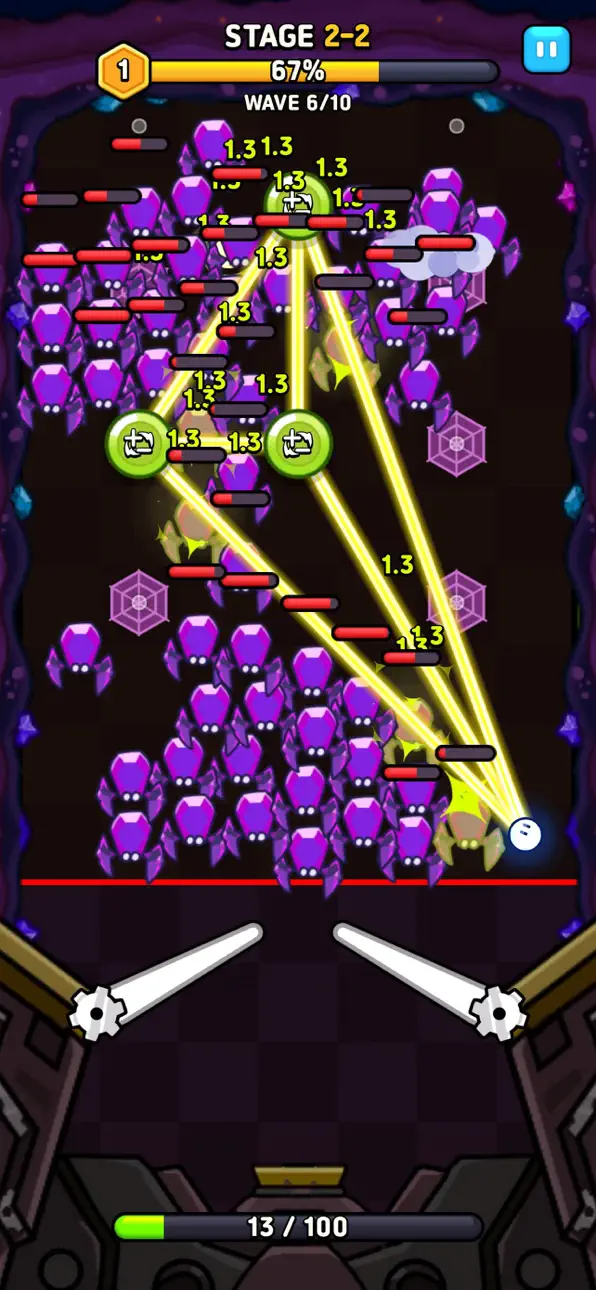
The perfect blend of nostalgic arcade pinball and strategic tower defense!
Defend against endless waves of monsters using your controls and strategy.
Bounce the ball, place bumpers with unique abilities in the perfect spots, and experience the thrill of massive combos!
◆ Features of Pinball Defense ◆
► Intuitive & Thrilling Arcade Pinball Action
Control the flippers at the bottom to keep the ball from falling!
Hit monsters with the endlessly bouncing ball and blow your stress away.
► Your Own Custom Bumper Strategy
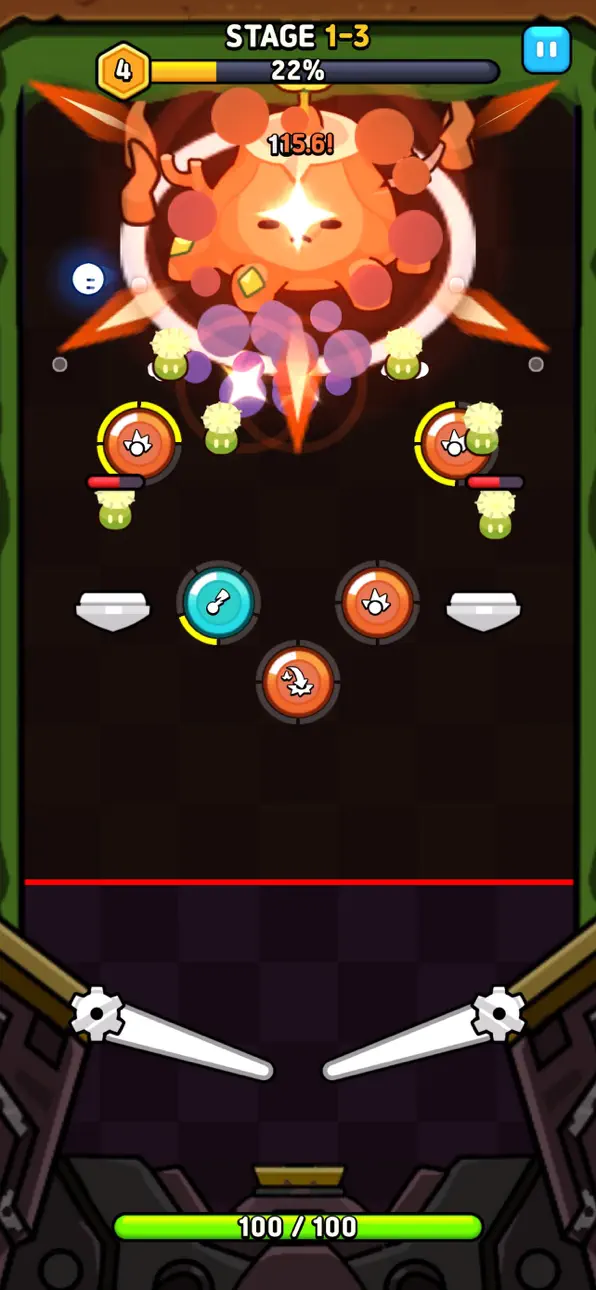
Place special abilities like electricity, rockets, and lasers wherever you want.
Calculating the bounce angles and combining abilities is the key to clearing stages!
► Epic Bosses & Endless Waves
Explore stages with diverse themes.
Learn the attack patterns of powerful boss monsters appearing in each stage and take them down!
► Joy of Growth & Upgrade System
Permanently enhance basic stats like attack power and HP using resources earned through gameplay.
Unlock the skill tree and complete your own casual combat style.
◆ Highly Recommended For: ◆
► Casual gamers seeking thrilling action with simple touch controls.
► Tower defense enthusiasts who love strategic placement and upgrading.
► Anyone looking for a highly addictive time-killer to dive into for quick sessions.
Download Pinball Defense now, become a pinball master, and stop the monster invasion!
-----
- Support: [email protected]
- Terms of Service: https://neptunecompany.kr/gameterms
- Privacy Policy: https://neptunecompany.kr/gameprivacy
Screenshots © their respective owners · App Store


iOSGods is not affiliated with, endorsed by, or sponsored by Apple Inc., Google LLC, or the developers of the apps listed here. Apple, iOS and App Store are trademarks of Apple Inc. Android and Google Play are trademarks of Google LLC. All other app names, icons, artwork and trademarks belong to their respective owners.

- Non-Jailbroken/Jailed or Jailbroken iPhone or iPad.
- Sideloadly or alternatives.
- Computer running Windows/macOS/Linux with iTunes installed.
STEP 1: Download the pre-hacked .IPA file from the link above to your computer. To download from the iOSGods App, see our iOSGods App IPA Download Tutorial which includes a video example.
STEP 2: Download Sideloadly and install it on your Windows or Mac.
STEP 3: Open Sideloadly on your computer, connect your iOS device, and wait until your device name appears in Sideloadly.
STEP 4: Once your iDevice is recognized, drag the modded .IPA file you downloaded and drop it into the Sideloadly application.
STEP 5: Enter your Apple Account email, then press “Start.” You’ll then be asked to enter your password. Go ahead and provide the required information.
STEP 6: Wait for Sideloadly to finish sideloading/installing the hacked IPA. If there are issues during installation, please read the note below.
STEP 7: Once the installation is complete and you see the app on your Home Screen, you will need to go to Settings → General → Profiles / VPN & Device Management. Once there, tap on the email you entered from step 6, and then tap on “Trust [email protected]”.
STEP 8: Now go to your Home Screen and open the newly installed app and everything should work fine. You may need to follow further per app instructions inside the hack's popup in-game.
NOTE: iOS/iPadOS 16 and later, you must enable Developer Mode. For free Apple Developer accounts, you will need to repeat this process every 7 days. If you have any questions or problems, read our Sideloadly FAQ section of the topic.
Game Name iOS Mod IPA is an action adventure game enhanced with powerful gameplay boosts and quality-of-life improvements. Win battles faster, earn rewards quicker, and enjoy uninterrupted play without ads.
- Unlimited Gold - spend freely to unlock premium content
- Damage Multiplier - deal significantly more damage in combat
- Defense Multiplier - take less damage and survive longer
- Reward Multiplier - earn more loot from every battle
- Max Level - instantly reach the highest player rank
- No Ads - play without interruptions or advertisements
This app also comes with iGameGod, giving you access to Auto Touch to automate repetitive tasks, App Speed Manager for adjustable gameplay speed, Memory Engine value editing, and more powerful iOS game tools.
Download Game Name Mod IPA from the links above. Tap the install button and follow the on-screen instructions to install this iOS app hack on your iPhone, iPad, or Apple Silicon.
Need more help Check out our iOSGods App Frequently Asked Questions for detailed answers and troubleshooting tips.
----------------------------------------------------------
--------------------------------------------------